HUMIDITY SENSOR REMOVAL

-
REMOVE PROTECTOR
-
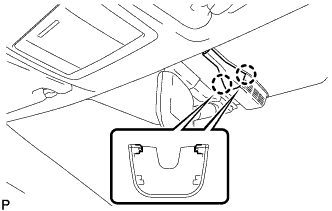
Disengage the 2 claws and remove the protector.
-
-
REMOVE HUMIDITY SENSOR (AIR CONDITIONING THERMISTOR ASSEMBLY)
-
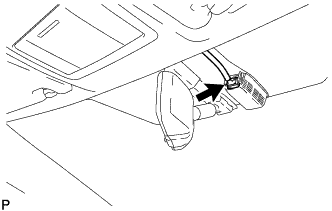
Disconnect the connector.
-
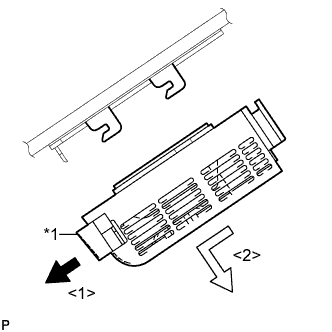
Text in Illustration *1 Stopper Release the stopper by pulling it down.
-
Remove the humidity sensor (air conditioning thermistor assembly) as shown in the illustration.
-