SAFETY CONNECT SYSTEM HEALTH CHECK

-
HEALTH CHECK
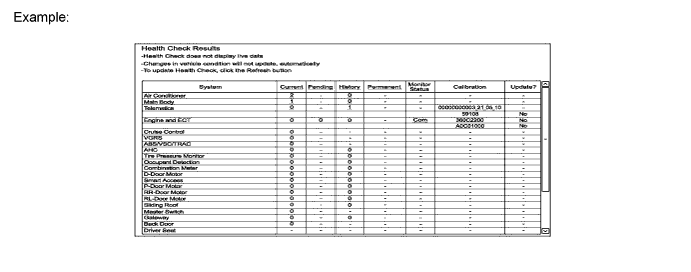
Using the Techstream to perform a Health Check provides the technician with an overall view of vehicle status including telematics. Health Check will provide DCM (Telematics Transceiver) software version, PRL version, and applicable DTCs and fault codes related to telematics.
-
Connect the Techstream to the DLC3.
-
Turn the engine switch on (IG).
-
Turn the Techstream on.
-
Click "Health Check".
Fault Code Reason 62 VIN is not recognized by telematics provider. 64 DCM (Telematics Transceiver) is not recognized. 65 VIN mismatch with DCM (Telematics Transceiver). Tech Tips
-
If Health Check results in a telematics issue, a specific Fault Code will be displayed.
-
If a fault code occurs, follow the procedure.
-
Fault 62*: Press the manual (SOS) switch and inform operator of error message.
-
Fault 64: Press the manual (SOS) switch and inform operator of error message.
-
Fault 65*: Contact the call center and request that they correct the DCM/VIN registration information in their database.
*: Verify VIN is correct in ECM. Run Vehicle Inquiry on Techstream and verify VIN is correct.
-
-
Data is displayed under "Telematics".
-