CLEARANCE SONAR MAIN SWITCH REMOVAL

-
DISCONNECT FRONT DOOR OPENING TRIM WEATHERSTRIP LH
-
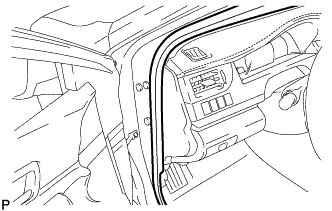
Disconnect the front door opening trim weatherstrip LH.
-
-
REMOVE INSTRUMENT SIDE PANEL LH
-
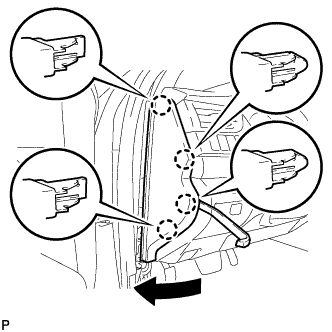
Using a moulding remover, disengage the 4 claws as shown in the illustration.
-
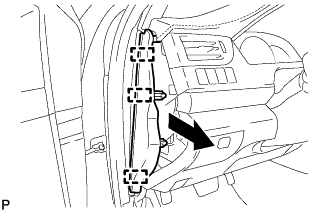
Disengage the 3 guides and remove the instrument side panel LH as shown in the illustration.
-
-
REMOVE NO. 1 INSTRUMENT CLUSTER FINISH PANEL GARNISH
-
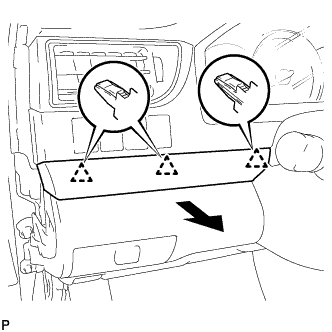
Disengage the 3 clips to remove the No. 1 instrument cluster finish panel garnish as shown in the illustration.
-
-
REMOVE NO. 1 INSTRUMENT PANEL REGISTER ASSEMBLY
-
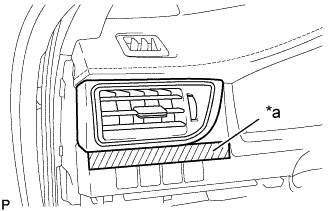
Text in Illustration *a Protective Tape Apply protective tape to the area shown in the illustration.
-
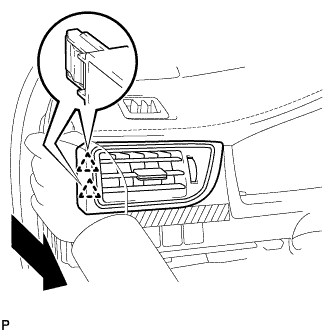
Disengage the 2 clips as shown in the illustration.
-
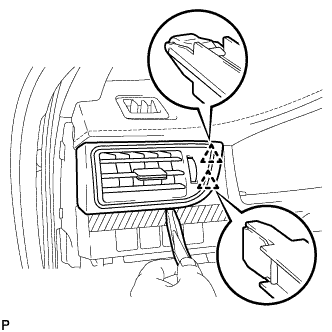
Using a moulding remover, disengage the 2 clips to remove the No. 1 instrument panel register assembly.
-
-
REMOVE INSTRUMENT CLUSTER FINISH PANEL ASSEMBLY
-
Operate the tilt and telescopic lever to fully extend and lower the steering column assembly.
-
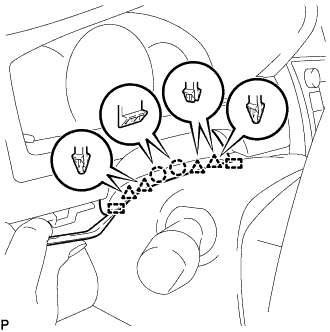
Using a moulding remover, disengage the 2 claws, 4 clips and 2 guides.
-
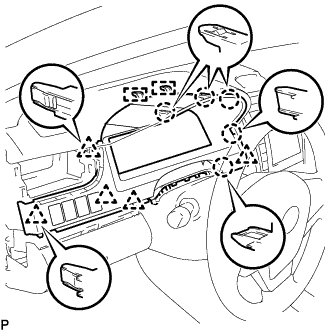
Disengage the 5 claws, 5 clips and 2 guides.
-
Disconnect each connector.
-
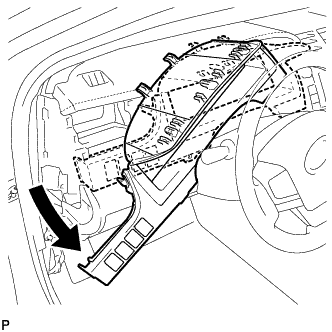
Remove the instrument cluster finish panel assembly as shown in the illustration.
-
-
REMOVE BACK SONAR OR CLEARANCE SONAR SWITCH ASSEMBLY
-
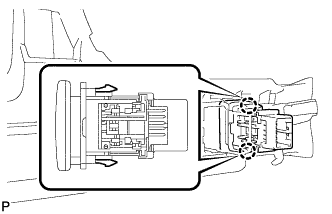
Disengage the 2 claws and remove the back sonar or clearance sonar switch assembly.
-