OUTER REAR VIEW MIRROR REASSEMBLY
CAUTION / NOTICE / HINT
Tech Tips
-
Use the same procedure for RHD and LHD vehicles.
-
The procedure listed below is for LHD vehicles.
-
Use the same procedure for the RH and LH sides.
-
The procedure listed below is for the LH side.
PROCEDURE
-
INSTALL SIDE TELEVISION CAMERA ASSEMBLY (w/ Multi-terrain Monitor)
-
INSTALL OUTER MIRROR RETRACTOR LH
-
Install the support spring
-
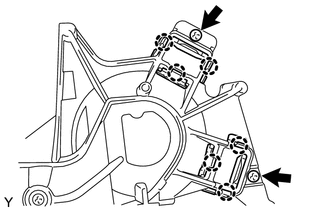
Attach the 6 claws and install the 2 support springs.
-
Install the 2 screws.
-
-
Install the wire harness
-
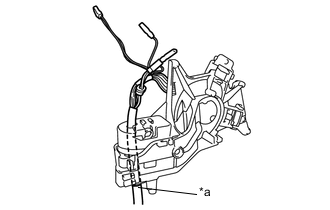
Text in Illustration *a Marking Pass a new wire harness through the motor and frame sub-assembly from the top, and set the marking of the wire harness to the position shown in the illustration.
-
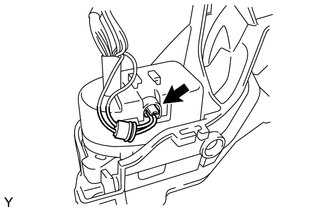
Connect the connector.
-
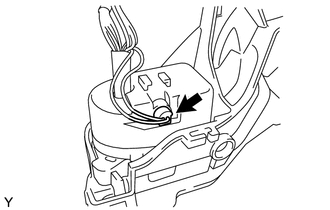
Install the cover.
-
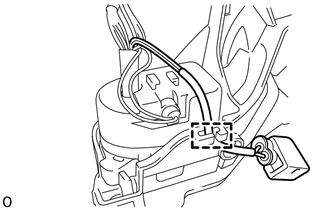
Attach the clamp.
-
-
Install the actuator sub-assembly
-
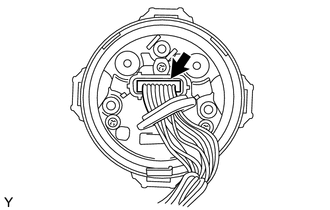
Connect the connector.
-
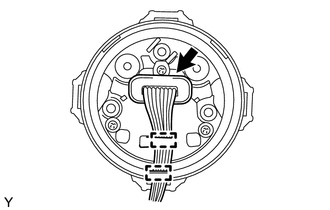
Install the cover and attach the 2 clamps.
-
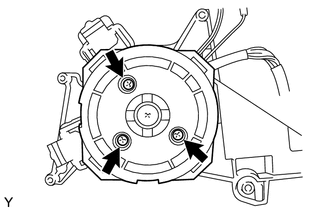
Install the actuator sub-assembly with the 3 screws.
-
-
Install the body cover
-
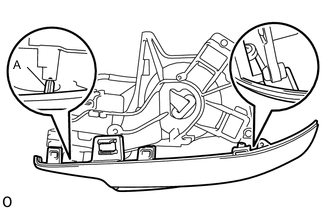
Attach the 2 guides and body cover.
Note
Be careful not to break the guide shown in the part of the illustration labeled A.
-
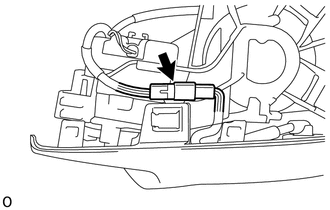
Connect the connector.
-
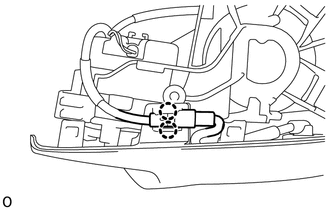
Attach the 2 claws and install the connector to the body cover.
-
-
Install the body
-
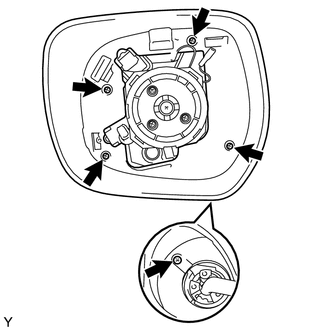
Install the body with the 5 screws.
-
-
Install the base
-
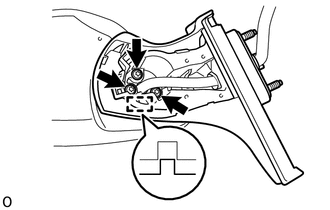
Attach the guide.
-
Using "TORX" socket wrench T25, install the base with 3 new "TORX" screws.
Note
When installing the base, check that the wire harness is not caught between the base and housing. Failure to do so may cause a short circuit.
-
Pass the wire harness through the base.
-
-
Install the lower mirror cover
-
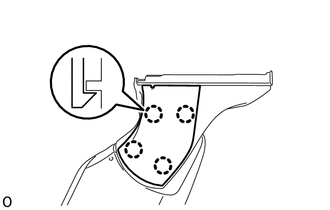
Attach the 4 claws and install the new lower mirror cover.
-
-
Install the gasket
-
Pass the wire harness through the new gasket.
-
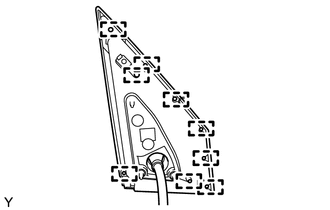
Attach the 9 guides and install the gasket.
-
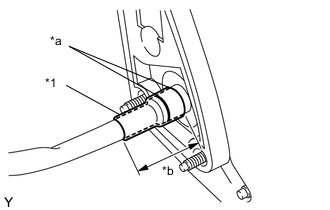
Text in Illustration *1 New Vinyl Tape *a Marking *b 50 mm (1.9685 in.) Align the marking on the wire harness with the marking on the end of the wire harness insertion hole of the gasket as shown in the illustration, and wrap them with new vinyl tape starting from the gasket marking.
Note
If the vinyl tape is wrinkled, water may run down the wire harness and enter the vehicle. Make sure to wind the vinyl tape properly.
-
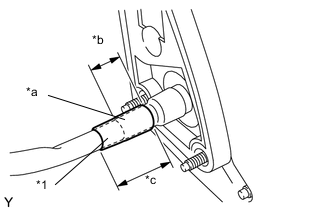
Text in Illustration *1 New Vinyl Tape *a Overlap *b 30 mm (1.1811 in.) *c 50 mm (1.9685 in.) Wrap new vinyl tape as shown in the illustration.
-
-
Install the connector
-
Set the retainer to the unlock position.
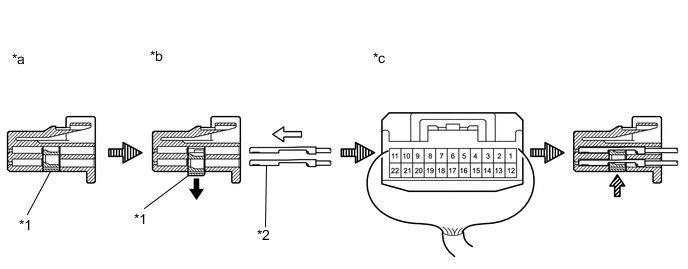
Text in Illustration *1 Retainer *2 Wire Harness Pin *a Retainer Lock Position *b Retainer Unlock Position *c Back View of Wire Harness Connector - - Wire Harness Connector Terminal 1 2 3 4 5 6 7 8 Wire Harness Color Yellow Green Red / Blue Orange Blue / Black Black / White Purple Red Connector Terminal 9 10 11 12 13 14 15 (*A) 16 Wire Harness Color Brown Red / White Pink Black Blue Green / Red Blue / White Black / Red Connector Terminal 17 18 19 20 21 22 - - Wire Harness Color Black / Green - Sky Blue White Gray Light Green - - *A: w/ Blind spot monitor system
Note
-
When inserting the wire harness pins, compare with the connector that was cut off during removal to verify the insertion positions, and then make sure to insert the pins of the correct wire colors in the correct positions.
-
Make sure that the wire harness pins are securely locked in position and cannot be removed.
-
The wire harness pins cannot be removed after they have locked into place, so be absolutely certain to insert them in the correct positions.
-
-
Push in the wire harness pins from the rear side of the connector until they lock into position.
-
Twist the wire harness as shown in the illustration.
-
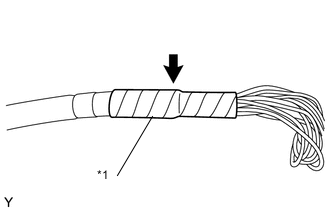
Text in Illustration *1 New Vinyl Tape Wrap with new vinyl tape.
-
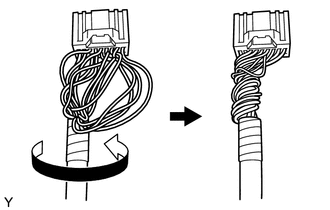
Twist the wire harness as shown in the illustration.
-
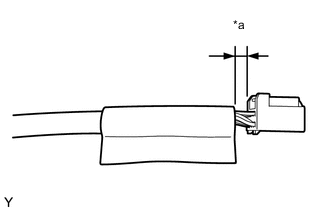
Text in Illustration *a 5 mm (0.1969 in.) Install a new vinyl sheet in the position shown in the illustration.
-
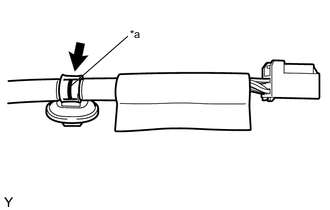
Text in Illustration *a Marking Install a new wire harness clamp at the marking shown in the illustration.
-
-
-
INSTALL SIDE TURN SIGNAL LIGHT ASSEMBLY LH
-
INSTALL OUTER MIRROR COVER LH
-
INSTALL OUTER MIRROR LH