AIR CONDITIONING UNIT DISASSEMBLY
PROCEDURE
-
REMOVE BLOWER ASSEMBLY (w/o PTC Heater)
-
REMOVE BLOWER ASSEMBLY (w/ PTC Heater)
-
REMOVE NO. 2 AIR DUCT SUB-ASSEMBLY (for LHD)
-
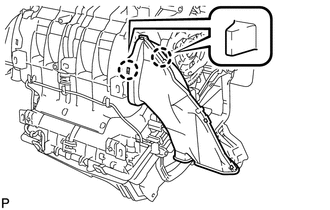
Disengage the 2 claws and remove the No. 2 air duct sub-assembly.
-
-
REMOVE NO. 1 AIR DUCT SUB-ASSEMBLY (for RHD)
-
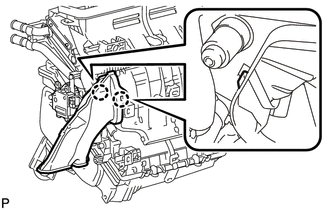
Disengage the 2 claws and remove the No. 1 air duct sub-assembly.
-
-
REMOVE ASPIRATOR (for LHD)
-
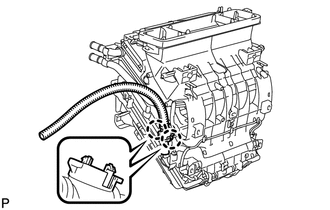
Disengage the 2 claws and remove the aspirator.
-
-
REMOVE ASPIRATOR (for RHD)
-
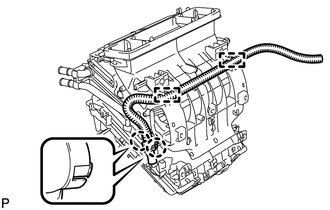
Disengage the 2 claws and remove the aspirator.
-
-
REMOVE AIR CONDITIONING HARNESS ASSEMBLY
-
Disconnect each connector.
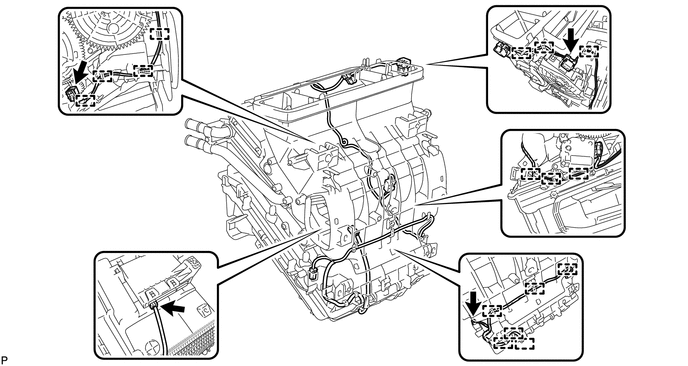
-
Disengage each clamp and remove the air conditioning harness assembly.
-
-
REMOVE AIR MIX CONTROL SERVO MOTOR SUB-ASSEMBLY
-
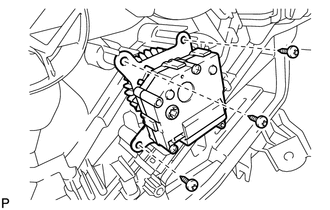
Remove the 3 screws and air mix control servo motor sub-assembly.
-
-
REMOVE NO. 2 AIR MIX CONTROL SERVO MOTOR SUB-ASSEMBLY
-
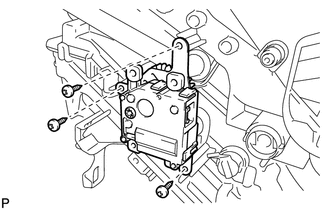
Remove the 3 screws and No. 2 air mix control servo motor sub-assembly.
-
-
REMOVE AIR OUTLET CONTROL SERVO MOTOR SUB-ASSEMBLY
-
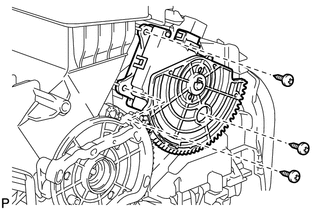
Remove the 3 screws and air outlet control servo motor sub-assembly.
-
-
REMOVE QUICK HEATER ASSEMBLY (w/ PTC Heater)
-
for LHD:
-
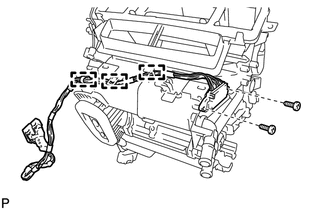
Disengage 3 clamps.
-
Remove the 2 screws.
-
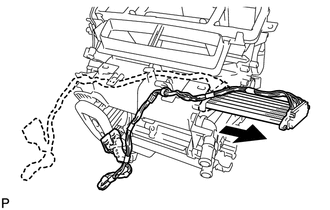
Remove the quick heater assembly as shown in the illustration.
-
-
for RHD:
-
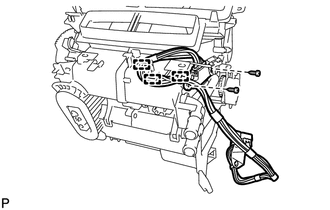
Disengage the 3 clamps.
-
Remove the 2 screws.
-
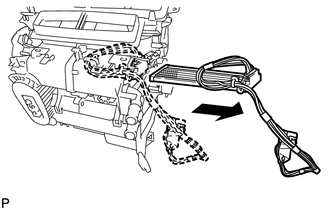
Remove the quick heater assembly as shown in the illustration.
-
-
-
REMOVE HEATER RADIATOR UNIT SUB-ASSEMBLY
-
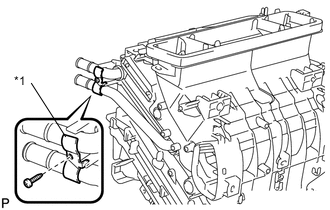
Text in Illustration *1 Clamp Remove the screw and clamp.
-
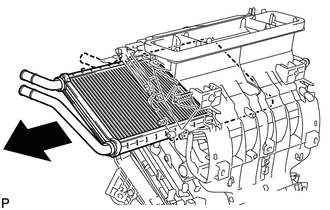
Remove the quick heater assembly as shown in the illustration.
-
-
REMOVE CONSOLE MOUNTING BRACKET RH
-
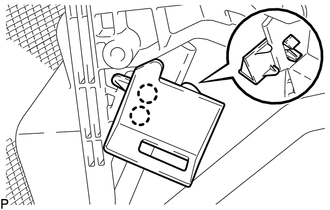
Disengage the 2 claws and remove the console mounting bracket RH.
-
-
REMOVE CONSOLE MOUNTING BRACKET LH
-
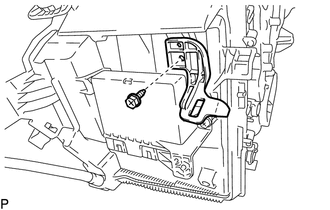
Remove the screw and console mounting bracket LH.
-
-
REMOVE AIR CONDITIONING AMPLIFIER ASSEMBLY
-
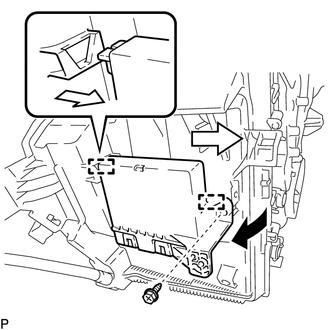
Remove the screw.
-
Disengage the 2 guides and remove the air conditioning amplifier assembly as shown in the illustration.
-
-
REMOVE DRAIN COOLER HOSE
-
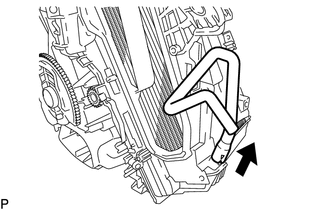
Remove the drain cooler hose.
-
-
REMOVE COOLER EXPANSION VALVE
-
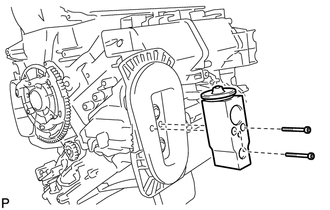
Using a 4 mm hexagon wrench, remove the 2 hexagon bolts and cooler expansion valve.
-
-
REMOVE COOLER EVAPORATOR SUB-ASSEMBLY
-
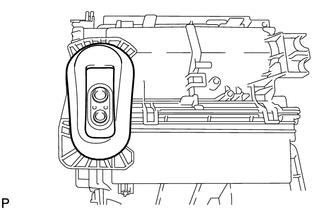
Remove the packing.
Note
Remove the packing carefully because it will be reused.
-
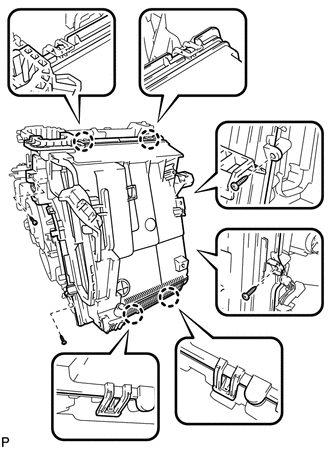
Remove the 4 screws.
-
Disengage the 4 claws and remove the lower heater case.
-
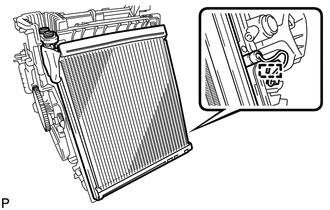
Disengage the clamp and remove the cooler evaporator sub-assembly with the No. 1 cooler thermistor.
-
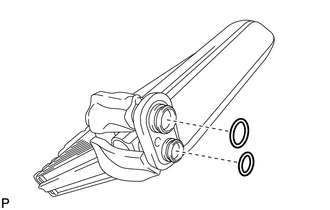
Remove the 2 O-rings from the cooler evaporator sub-assembly.
-
-
REMOVE NO. 1 COOLER THERMISTOR