Click here
Click here
- Click here
REMOVE AUTOMATIC TRANSMISSION ASSEMBLY
- Click here
REMOVE DRIVE PLATE AND RING GEAR SUB-ASSEMBLY
-
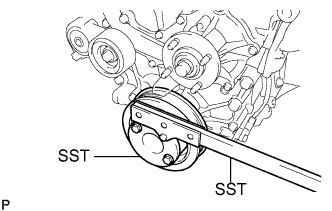
Using SST, hold the crankshaft.
09213-54015 91651-60855 09330-00021 -
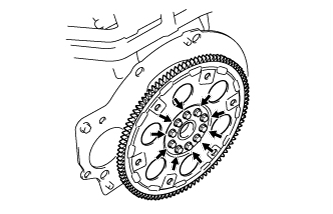
Remove the 10 bolts, rear drive plate spacer, drive plate and ring gear sub-assembly and front drive plate spacer.
-
- Click here
REMOVE REAR CRANKSHAFT OIL SEAL
-
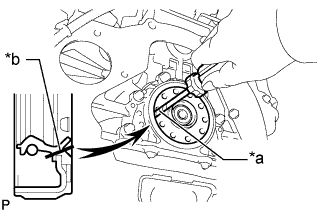
Using a knife, cut through the rear crankshaft oil seal lip.
Table 1. Text in Illustration *a Protective Tape *b Cut Position -
Using a screwdriver with its tip taped, pry out the rear crankshaft oil seal.
Note:After the removal, check the crankshaft for damage. If it is damaged, smooth the surface with 400-grit sandpaper.
-