SECOND BRAKE DISASSEMBLY

-
REMOVE PLANETARY CARRIER THRUST WASHER NO.4
-
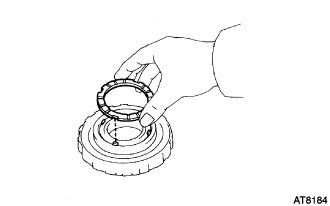
Remove the planetary carrier thrust washer No.4.
-
-
INSPECT 2ND BRAKE PISTON
-
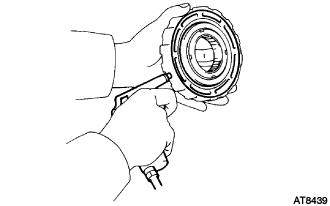
Make sure the 2nd brake piston moves smoothly when applying and releasing low-pressure compressed air to the 2nd brake drum.
-
-
REMOVE 2ND BRAKE PISTON RETURN SPRING SUB-ASSEMBLY
-
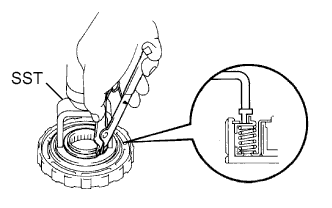
Place SST on the spring retainer, and compress the piston return spring with a press.
- SST
- 09350-30020 ( 09350-07040 )
Note
Stop compressing when the spring sheet is lowered to the place 1 to 2 mm (0.039 to 0.078 in.) from the snap ring groove, preventing the spring sheet from being deformed.
-
Using a snap ring expander, remove the snap ring.
-
Remove the spring retainer.
-
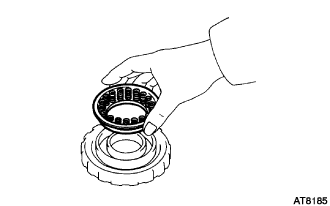
Remove the piston return spring.
-
-
REMOVE 2ND BRAKE PISTON
-
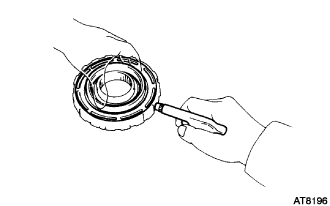
Hold the 2nd brake piston by hand, and apply compressed air to the 2nd brake drum to remove the 2nd brake piston.
-
Remove the 2nd brake piston.
Tech Tips
If the piston is at an angle and cannot be removed, press down on the protruding side and apply compressed air again, or wind vinyl tape around the piston end and remove it with needle- nose pliers.
-
Remove the 2 O-rings from the piston.
-
-
INSPECT 2ND BRAKE CLUTCH DISC
-
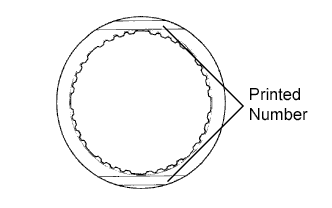
Check if the sliding surfaces of the disc, the plate and flange are worn or burnt. If necessary, replace them.
Tech Tips
If the lining of the disc is peeled off or discolored, or even if only a part of the printed numbers is corroded, replace all discs.
-
-
INSPECT 2ND BRAKE PISTON RETURN SPRING SUB-ASSEMBLY
-
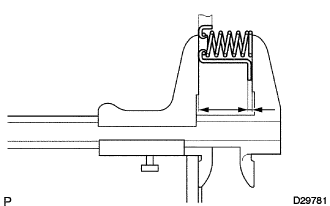
Using vernier calipers, measure the free length of the spring together with the spring seat.
Standard free length 16.05 mm (0.6319 in.)
-