SPEED LIMITER SYSTEM OPERATION CHECK
-
CHECK SPEED LIMITER INDICATOR AND MULTI-INFORMATION DISPLAY
-
Turn the ignition switch to ON.
-
Check that the speed limiter indicator light turns on when the warning canceling switch is turned on, and that the speed limiter indicator light turns off when the warning canceling switch is turned off.
-
Check that the status of the speed limiter appears on the multi-information display as shown below.
-
for Multi-information Display (for Monochrome Type)
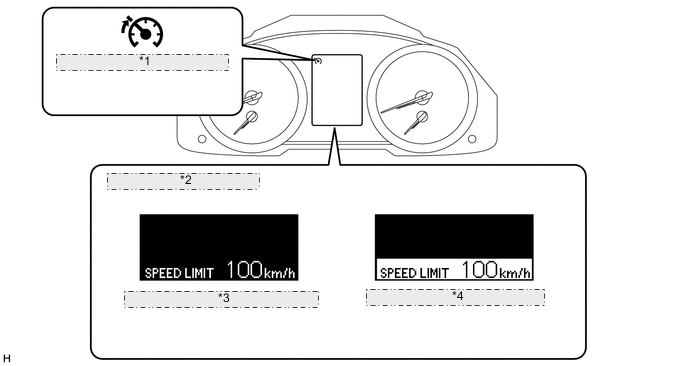
*1 Speed Limiter Indicator Light *2 Multi-information Display *3 When speed limiter is activated *4 When vehicle speed exceeds set value (Blinking) System Status Indicator Display Buzzer Main switch off Not illuminated Not illuminated Off Main switch on (Standby) Illuminated in green Not illuminated Off Speed limiter active Illuminated in green Display limit speed Off Over speed Illuminated in green Blinking Sounding* Fail Illuminated in yellow Not illuminated Off Tech Tips
*: Excluding intentional speed increases by driver (override, coasting, etc.)
-
for Multi-information Display (for Color Type)
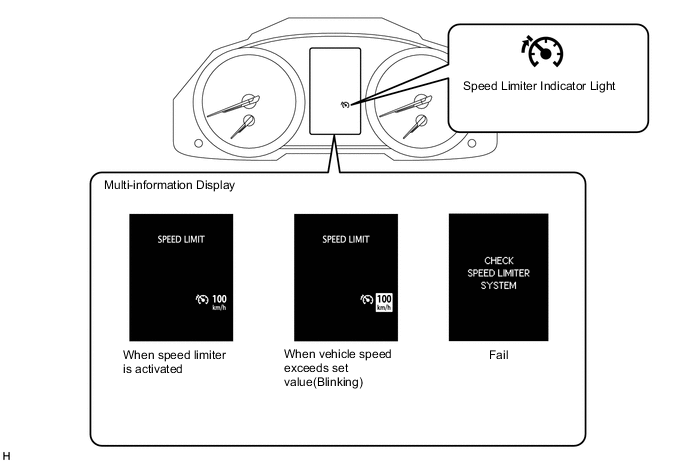
System Status Indicator Display Master Warning Light Buzzer Main switch off Not illuminated Not illuminated Not illuminated Off Main switch on (Standby) Illuminated in green Not illuminated Not illuminated Off Speed limiter active Illuminated in green Display limit speed Not illuminated Off Over speed Illuminated in green Display inverted Not illuminated Sounding*1 Fail Not illuminated Warning text displayed Illuminated Sounding*2 Tech Tips
*1: Excluding intentional speed increases by driver (override, coasting, etc.)
-
*2: When master warning light is illuminated
-
-
-