NAVIGATION ECU REMOVAL

-
REMOVE REAR CONSOLE BOX ASSEMBLY
-
REMOVE BOX BOTTOM MAT
-
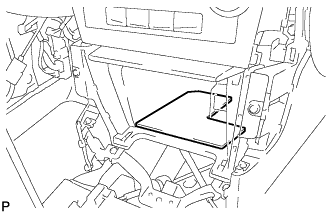
Remove the box bottom mat.
-
-
REMOVE UPPER CONSOLE PANEL SUB-ASSEMBLY
-
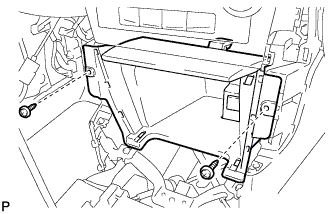
Remove the 2 screws <D> or <E>.
-
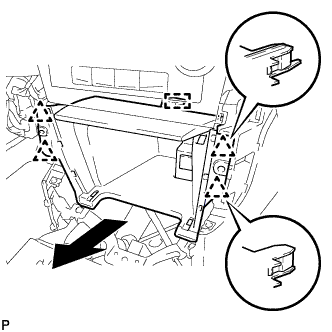
Disengage the 4 clips and guide as shown in the illustration.
-
Disconnect each connector to remove the upper console panel sub-assembly.
-
-
REMOVE CENTER INSTRUMENT CLUSTER FINISH PANEL ASSEMBLY
-
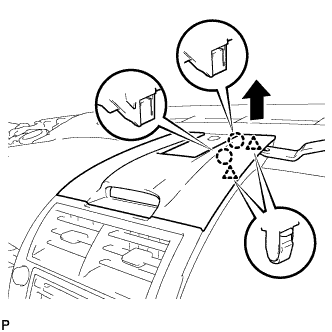
Using a moulding remover, disengage the 2 claws and 2 clips as shown in the illustration.
-
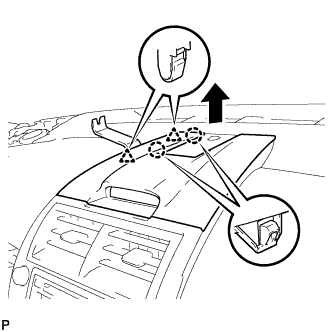
Using a moulding remover, disengage the 2 claws and 2 clips as shown in the illustration.
-
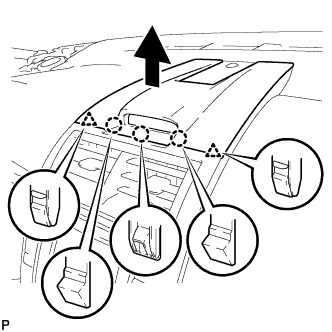
Disengage the 3 claws and 2 clips as shown in the illustration.
-
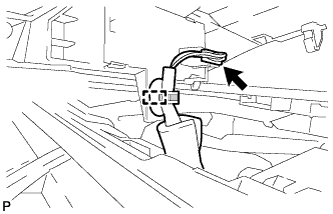
Disengage the clamp.
-
Disconnect the connector to remove the center instrument cluster finish panel assembly.
-
-
REMOVE NO. 2 INSTRUMENT PANEL REGISTER ASSEMBLY
-
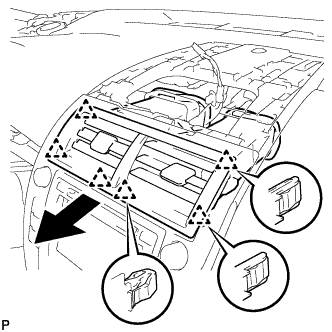
Pull the No. 2 instrument panel register assembly in the direction indicated by the arrow to disengage the 6 clips to remove the No. 2 instrument panel register assembly.
-
-
REMOVE RADIO RECEIVER ASSEMBLY WITH AIR CONDITIONING CONTROL ASSEMBLY
-
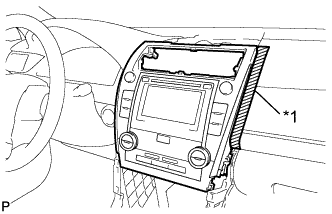
Text in Illustration *1 Protective Tape Apply protective tape to the areas shown in the illustration.
-
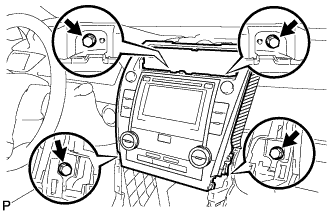
Remove the 4 bolts.
-
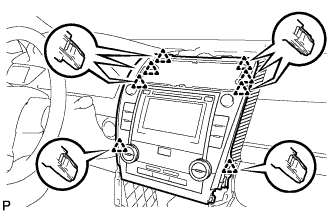
Pull the radio receiver assembly with air conditioning control assembly toward the rear of the vehicle and disengage the 8 clips.
-
Disconnect each connector and remove the radio receiver assembly with air conditioning control assembly.
Tech Tips
w/ Navigation System:Do not disconnect the extension module connector.
-
-
REMOVE NO. 1 RADIO BRACKET
-
w/o Navigation System:
-
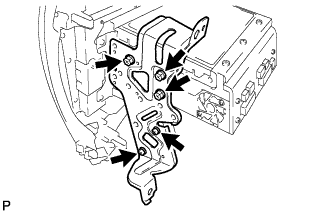
Remove the 5 screws and No. 1 radio bracket.
-
-
w/ Navigation System:
-
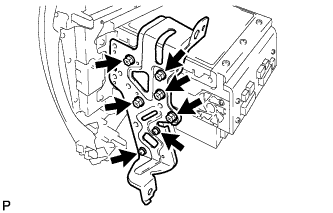
Remove the 7 screws and No. 1 radio bracket.
-
-
-
REMOVE NO. 2 RADIO BRACKET
-
w/o Navigation System:
-
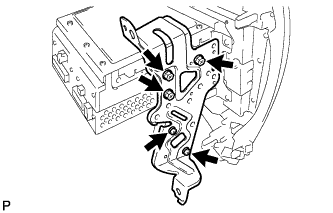
Remove the 5 screws and No. 2 radio bracket.
-
-
w/ Navigation System:
-
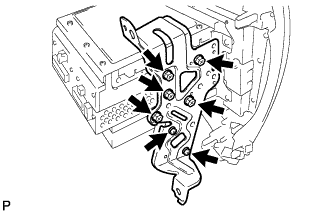
Remove the 7 screws and No. 2 radio bracket.
-
-
-
REMOVE AIR CONDITIONING CONTROL ASSEMBLY
-
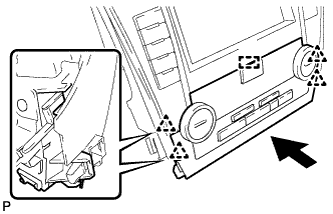
Disengage the 4 clips and guide, and remove the air conditioning control assembly as shown in the illustration.
-
-
REMOVE EXTENSION MODULE
-
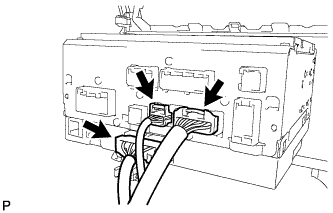
Disconnect the 3 connectors to remove the navigation wire.
-
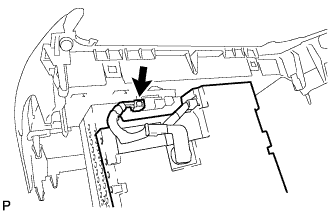
Disconnect the connector to remove the extension module.
-