DRIVE MONITOR SWITCH INSTALLATION

-
INSTALL DRIVE MONITOR SWITCH
-
Engage the 4 claws to install the drive monitor switch.
-
-
INSTALL RADIO AND DISPLAY RECEIVER ASSEMBLY WITH BRACKET (for Radio and Display Type)
-
Connect each connector.
-
Engage the 2 clips.
-
Install the radio and display receiver assembly with bracket with the 4 bolts.
- Torque:
- 11 N*m { 112 kgf*cm, 8 ft.*lbf }
-
-
INSTALL NAVIGATION RECEIVER ASSEMBLY WITH BRACKET (for Navigation Receiver Type)
-
Connect each connector.
-
Engage the 2 clips.
-
Install the navigation receiver assembly with bracket with the 4 bolts.
- Torque:
- 11 N*m { 112 kgf*cm, 8 ft.*lbf }
-
-
INSTALL NO. 2 INSTRUMENT PANEL SPEAKER PANEL SUB-ASSEMBLY
-
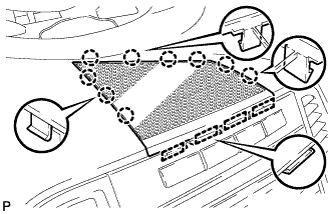
Engage the 4 guides and 9 claws to install the No. 2 instrument panel speaker panel sub-assembly.
-
-
INSTALL CONSOLE BOX SUB-ASSEMBLY
-
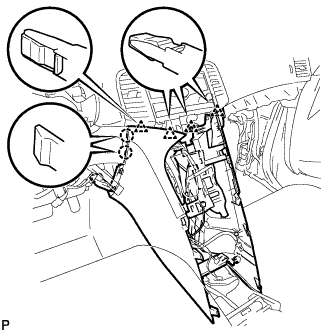
Engage the 2 claws and 4 clips.
-
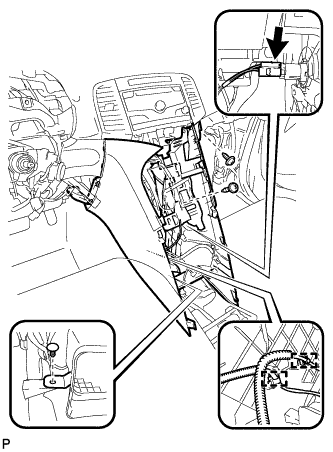
Engage the 2 clamps.
-
Connect the connector.
-
Install the clip.
-
Install the console box sub-assembly with the 2 screws <E> or <F>.
-
-
INSTALL POSITION INDICATOR HOUSING ASSEMBLY
-
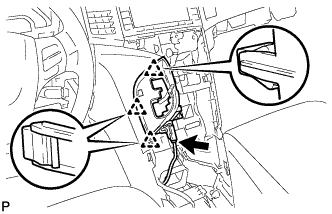
Engage the 3 clips to position indicator housing assembly.
-
Connect the connector.
-
Move the shift lever to P.
-
-
INSTALL SHIFT LEVER KNOB SUB-ASSEMBLY
-
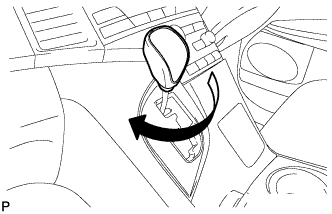
Turn the shift lever knob clockwise to install the shift lever knob sub-assembly.
-
-
INSTALL LOWER INSTRUMENT PANEL SUB-ASSEMBLY
-
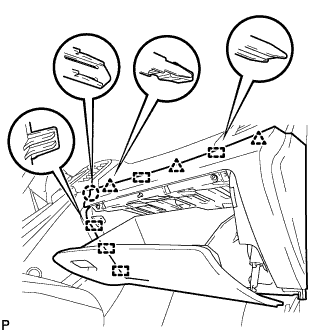
Connect the connectors.
-
Engage the 5 guides, 2 clips and claw.
-
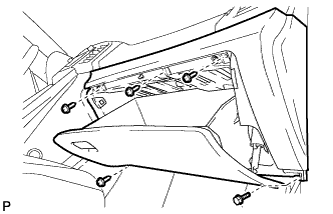
Install the lower instrument panel sub-assembly with the bolt <C> and 4 screws <E> or <F>.
-
-
INSTALL NO. 2 INSTRUMENT PANEL UNDER COVER SUB-ASSEMBLY
-
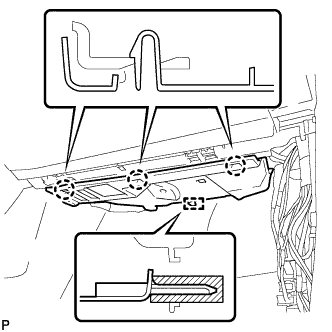
Engage the guide and 3 claws to install the No. 2 instrument panel under cover sub-assembly.
-
-
INSTALL COWL SIDE TRIM SUB-ASSEMBLY RH
Tech Tips
Use the same procedure for the RH side and LH side Click here.
-
INSTALL FRONT DOOR SCUFF PLATE RH
Tech Tips
Use the same procedure for the RH side and LH side Click here.
-
INSTALL LOWER NO. 1 INSTRUMENT PANEL FINISH PANEL
-
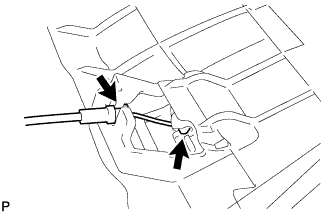
Connect the hood lock control cable.
-
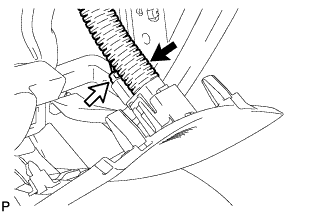
Connect the aspirator duct and connector.
-
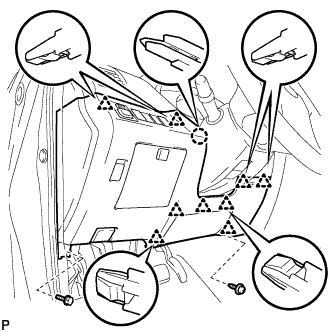
Connect the connectors.
-
Engage the claw and 9 clips.
-
Install the lower No. 1 instrument panel finish panel with the bolt <C> and screw <E> or <F>.
-
-
INSTALL COWL SIDE TRIM SUB-ASSEMBLY LH
-
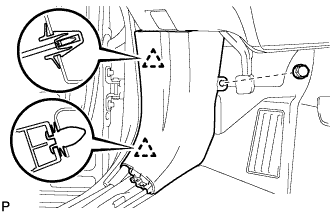
Engage the 2 clips to install the cowl side trim sub-assembly LH.
-
Install the clip.
-
-
INSTALL FRONT DOOR SCUFF PLATE LH
-
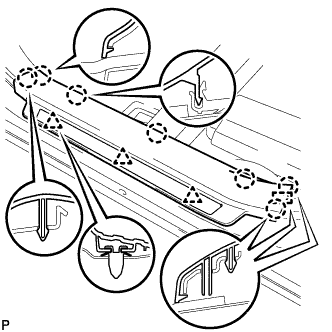
Engage the guide, 3 clips and the 7 claws to install the front door scuff plate LH.
-
-
INSTALL AIR CONDITIONING CONTROL ASSEMBLY
-
Connect the connector.
-
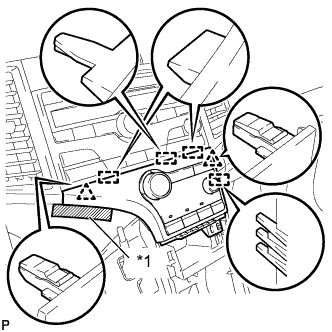
Engage the 2 clips and 4 guides.
-
Remove the protective tape.
Text in Illustration *1 Protective Tape -
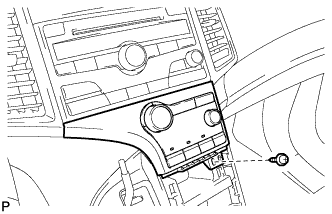
Install the air conditioning control assembly with the screw.
-
-
INSTALL CONSOLE BOX ASSEMBLY
-
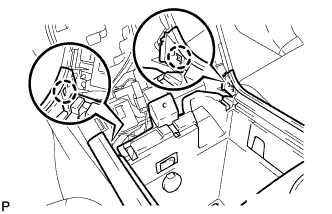
Connect the connectors.
-
Engage the 2 claws.
-
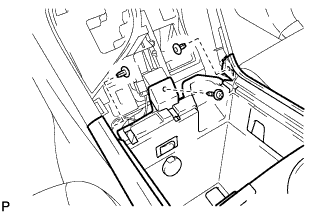
Install the screw and 2 clips.
-
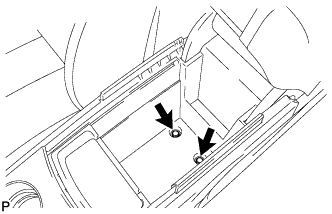
Install the console box assembly with the 2 bolts.
-
-
INSTALL NO. 2 CONSOLE BOX CARPET
-
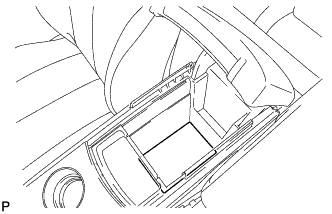
Install the No. 2 console box carpet.
-
-
INSTALL UPPER CONSOLE PANEL SUB-ASSEMBLY
-
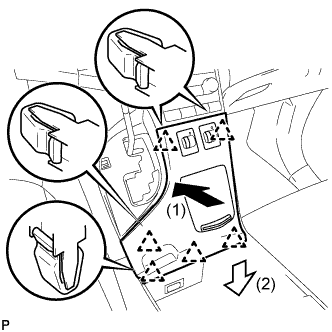
Connect the connectors.
-
Engage the 6 clips to install the upper console panel sub-assembly as shown in the illustration.
-