STEERING COLUMN ASSEMBLY REASSEMBLY

Note
When using a vise, do not overtighten it.
-
INSTALL STEERING LOCK ACTUATOR ASSEMBLY (w/ Smart Entry and Start System)
-
Secure the steering column assembly in a vise.
-
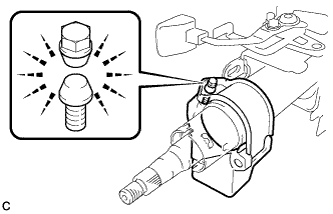
Temporarily install the steering lock actuator assembly to the steering column assembly with a new tapered-head bolt.
Note
Be sure to use a new tapered-head bolt.
-
Tighten the tapered-head bolt until the bolt heads break off.
-
-
INSTALL UNLOCK WARNING SWITCH ASSEMBLY (w/o Smart Entry and Start System)
-
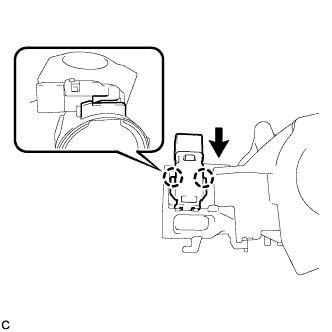
Engage the 2 claws to install the unlock warning switch onto the steering column upper bracket.
Tech Tips
Slide the unlock warning switch in the direction shown by the arrow in the illustration to install it.
-
-
INSTALL IGNITION SWITCH LOCK CYLINDER ASSEMBLY (w/o Smart Entry and Start System)
-
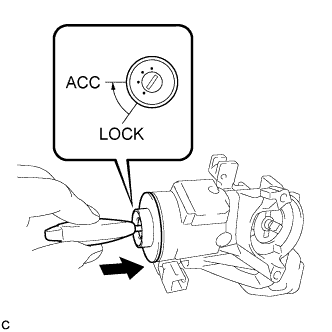
Make sure that the ignition switch lock cylinder assembly is in the ACC position.
-
Install the ignition switch lock cylinder assembly to the steering lock sub-assembly.
-
Make sure that the ignition switch lock cylinder assembly is securely installed.
-
-
INSTALL SOLENOID WIRE (w/o Smart Entry and Start System)
-
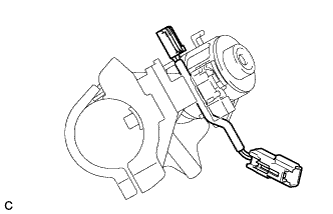
Install the solenoid wire to the steering column upper bracket.
-
-
INSTALL KEY INTER LOCK SOLENOID (w/o Smart Entry and Start System)
-
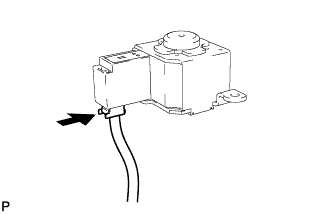
Connect the solenoid wire connector to the key interlock solenoid.
-
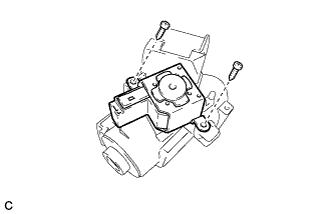
Install the key interlock solenoid to the steering column upper bracket with the 2 screws.
-
-
INSTALL IGNITION OR STARTER SWITCH ASSEMBLY (w/o Smart Entry and Start System)
-
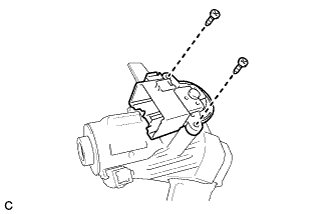
Install the ignition or starter switch assembly to the steering column upper bracket with the 2 screws.
-
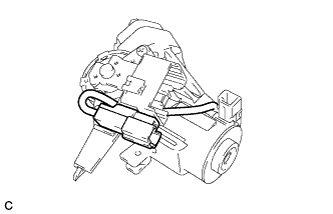
Install the solenoid wire connector to the ignition or starter switch assembly.
-
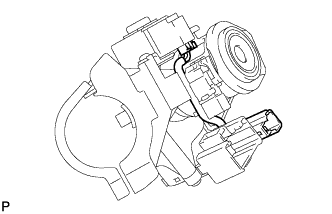
Make sure that the solenoid wire runs securely through the gap of the steering column upper bracket as shown in the illustration.
-
-
INSPECT STEERING LOCK OPERATION (w/o Smart Entry and Start System)
-
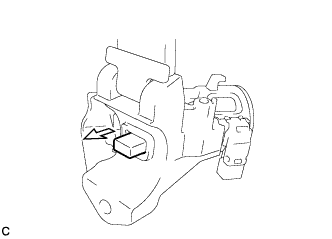
Check that the steering lock mechanism is activated when the key is removed.
-
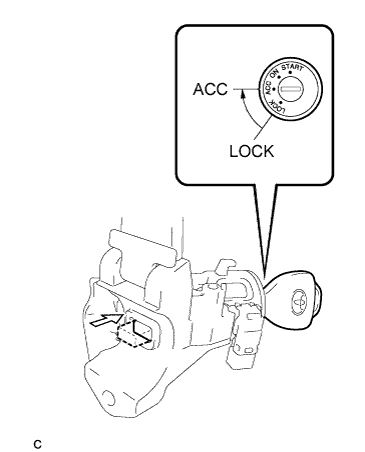
Check that the steering lock mechanism is deactivated when the key is inserted and turned to the ACC position.
Tech Tips
If there is any abnormality, replace the ignition switch lock cylinder assembly or steering column upper bracket assembly.
-
-
INSTALL STEERING COLUMN UPPER WITH SWITCH BRACKET ASSEMBLY (w/o Smart Entry and Start System)
-
Secure the steering column assembly in a vise.
-
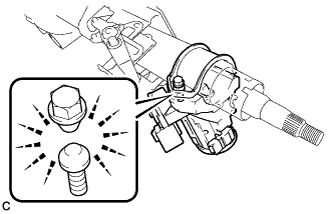
Temporarily install the steering column upper with switch bracket assembly to the steering column assembly with a new tapered-head bolt.
Note
Be sure to use a new tapered-head bolt.
-
Tighten the tapered-head bolt until the bolt heads break off.
-