SUSPENSION CONTROL ECU (for RHD) INSTALLATION

Tech Tips
A bolt without a torque specification is shown in the standard bolt chart Click here.
-
INSTALL SUSPENSION CONTROL ECU
-
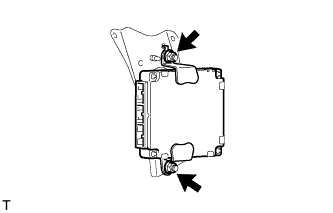
Install the suspension control ECU to the bracket with the 2 nuts.
- Torque:
- 6.0 N*m { 61 kgf*cm, 53 in.*lbf }
Note
-
Avoid any impact to the suspension control ECU.
-
Do not drop the ECU. If it is dropped, replace it with a new one.
-
-
INSTALL SUSPENSION CONTROL ECU WITH BRACKET
-
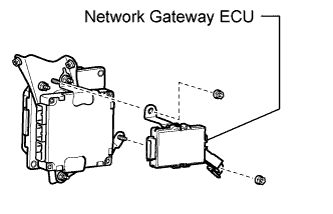
w/ Driver Monitor Camera:
Install the ECU with the 2 nuts.
- Torque:
- 7.5 N*m { 76 kgf*cm, 66 in.*lbf }
-
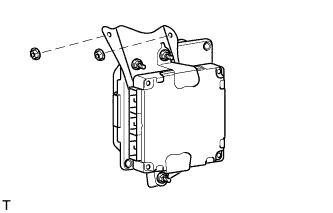
Install the ECU with bracket with the 2 nuts.
- Torque:
- 8.0 N*m { 82 kgf*cm, 71 in.*lbf }
-
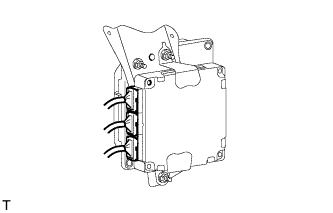
Connect the connectors.
-
w/ Driver Monitor Camera:
Connect the driver monitor ECU connector.
-
w/ Driver Monitor Camera:
Connect the network gateway ECU connector.
-
-
INSTALL DRIVER SIDE KNEE AIRBAG ASSEMBLY
-
CONNECT CABLE TO AUXILIARY BATTERY NEGATIVE TERMINAL
Note
When disconnecting the cable, some systems need to be initialized after the cable is reconnected Click here.
-
INSTALL BATTERY SERVICE HOLE COVER LH
-
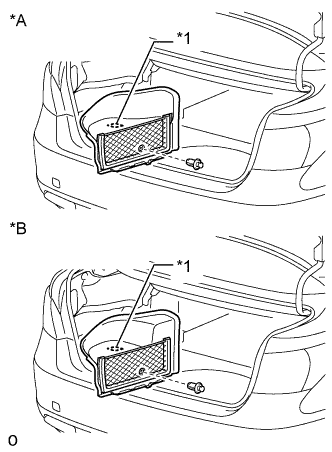
Text in Illustration *A for Standard *B for Ottoman Attach the battery service hole cover LH with the clip and fastening tape.
-
-
INSTALL LUGGAGE COMPARTMENT MAT SUB-ASSEMBLY
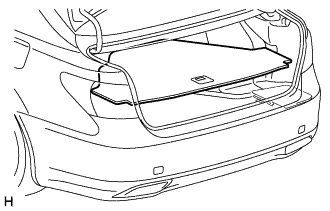
-
ADJUST VEHICLE HEIGHT
Note
If the suspension control ECU has been replaced, be sure to adjust the vehicle height.
-
CHECK SRS WARNING LIGHT
-
ADJUST HEADLIGHT ASSEMBLY
-
ADJUST OBJECT RECOGNITION CAMERA