COOLING FAN MOTOR REMOVAL

-
REMOVE RADIATOR ASSEMBLY
-
CONFIRM INDICATION MARK
-
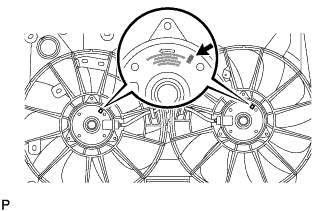
Confirm the indication mark of the cooling fan module.
-
-
REMOVE FAN SHROUD WITH FAN AND MOTOR
-
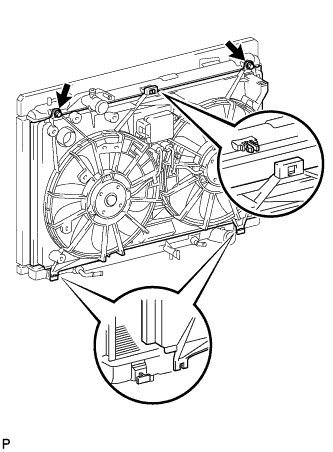
Remove the 2 bolts.
-
Detach the claw, and then remove the fan shroud with fan and motor.
-
-
REMOVE FAN
-
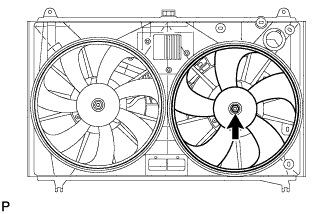
Remove the nut and fan.
-
-
REMOVE NO. 2 FAN
-
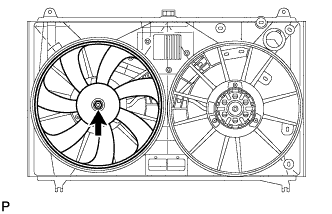
Remove the nut and No. 2 fan.
-
-
REMOVE COOLING FAN MOTOR
-
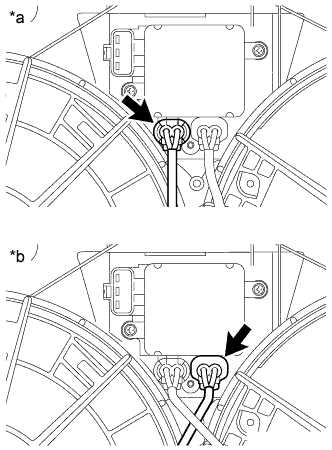
Text in Illustration *a for Indication Mark M *b for Indication Mark L Disconnect the connector.
-
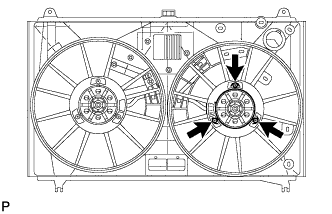
Remove the 3 screws and cooling fan motor.
-
-
REMOVE NO. 2 COOLING FAN MOTOR
-
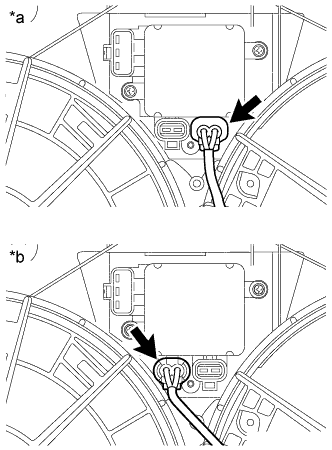
Text in Illustration *a for Indication Mark M *b for Indication Mark L Disconnect the connector.
-
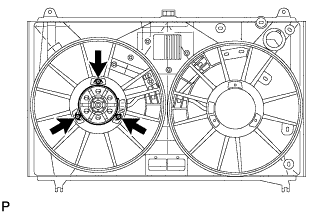
Remove the 3 screws and No. 2 cooling fan motor.
-