OUTER REAR VIEW MIRROR DISASSEMBLY

Tech Tips
-
Use the same procedure for the and LH sides.
-
The procedure listed below is for the LH side.
-
w/ Side Monitor System:
When installing only the side television camera assembly, refer to TELEVISION CAMERA (for Side) Click here.
-
REMOVE OUTER REAR VIEW MIRROR GLASS
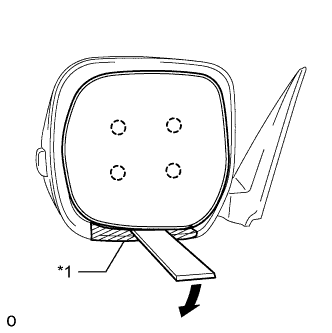
Text in Illustration *1 Protective Tape
-
Push the upper part of the mirror surface and tilt it.
-
Using a moulding remover, detach the 4 claws and separate the outer rear view mirror glass from the mirror body.
Tech Tips
Apply protective tape to the outer rear view mirror to prevent it from being damaged.
-
Disconnect the connectors and remove the mirror glass.
-
-
REMOVE OUTER MIRROR COVER LH
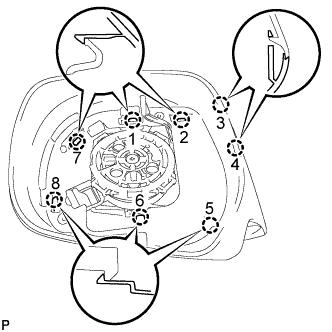
Tech Tips
Be sure to detach the claws of the outer mirror cover in the order shown in the illustration.
-
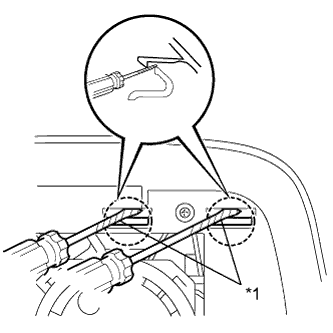
Text in Illustration *1 Protective Tape Using 2 screwdrivers, detach the 2 claws.
Tech Tips
Tape the screwdriver tip before use.
-
Insert a screwdriver into the slot as shown in the illustration and push on the outer mirror body to create a space between the outer mirror body and outer mirror cover.
Note
Be careful not to break the ribs.
Tech Tips
Tape the screwdriver tip before use.
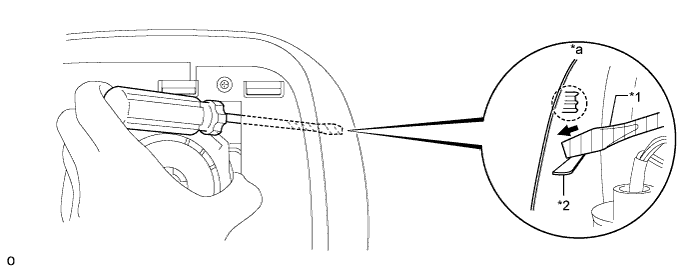
Text in Illustration *1 Protective Tape *2 Rib *a Inner Side of Outer Mirror Cover - - -
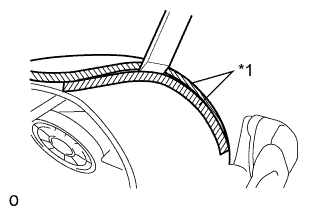
Text in Illustration *1 Protective Tape Insert a moulding remover into the space made between the outer mirror body and outer mirror cover.
Note
Do not insert the moulding remover more than 4 mm (0.157 in.).
Tech Tips
Tape the moulding remover before use.
-
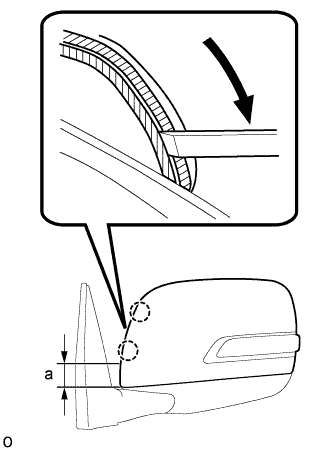
Slide the moulding remover downwards as shown in the illustration to detach the 2 claws.
Note
-
Do not insert the moulding remover more than 4 mm (0.157 in.).
-
Do not slide the moulding remover past the point approximately 40 mm (1.57 in.) from the bottom edge of the outer mirror cover as the outer mirror body will become damaged.
Standard Area Specified Condition a 40.0 mm (1.57 in.) -
-
Remove the moulding remover.
-
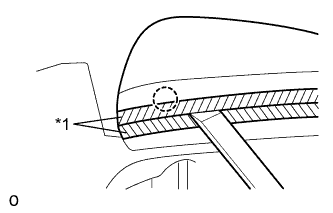
Text in Illustration *1 Protective Tape Insert a moulding remover between the outer mirror cover and outer mirror body as shown in the illustration and detach the claw.
-
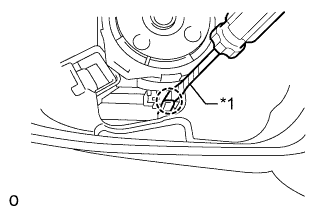
Text in Illustration *1 Protective Tape Using a screwdriver, detach the claw.
-
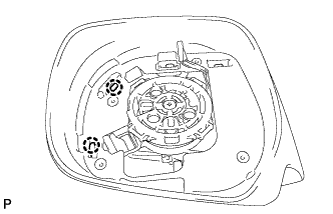
Detach the 2 claws and remove the outer mirror cover.
Note
When removing the cover, be careful not to damage the side turn signal light assembly or cover.
-
-
REMOVE SIDE TURN SIGNAL LIGHT ASSEMBLY LH
-
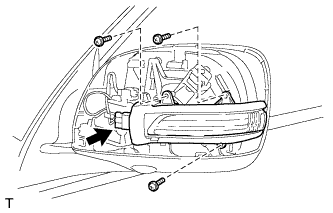
Remove the 3 screws and light.
-
Disconnect the connector.
-
-
REMOVE OUTER MIRROR RETRACTOR LH
-
Remove the outer rear view mirror gasket LH.
-
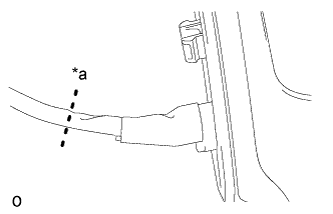
Text in Illustration *a Cut here Cut the wire harness sub-assembly at the location shown in the illustration.
Tech Tips
A new wire harness sub-assembly is used for reassembly.
-
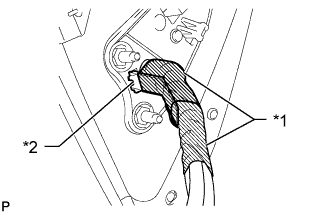
Text in Illustration *1 Tape *2 Clamp Remove the tape and detach the clamp.
-
-
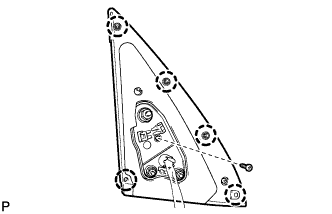
Remove the screw, detach the 5 claws and remove the outer rear view mirror gasket LH.
-
Remove the lower mirror cover.
-
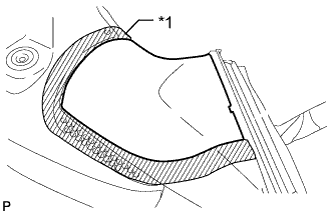
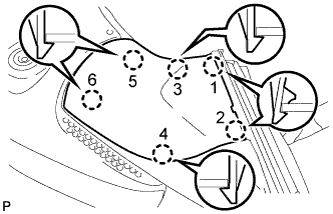
Put protective tape around the lower mirror cover.
Text in Illustration *1 Protective Tape Tech Tips
The claws of the mirror will be detached in the order shown in the illustration in the following steps.
-
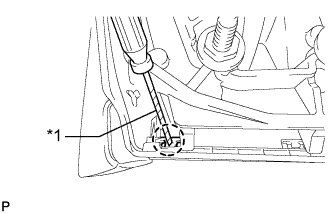
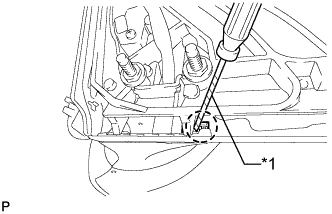
Text in Illustration *1 Protective Tape Using a screwdriver, detach the claw.
-
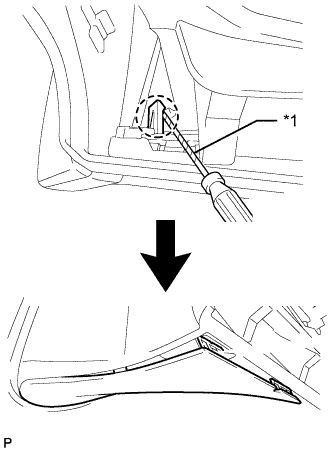
Text in Illustration *1 Protective Tape Using a screwdriver, detach the claw.
-
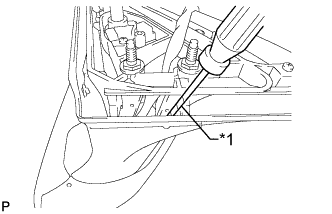
Text in Illustration *1 Protective Tape Using a screwdriver, detach the claw to create a space between the lower mirror cover and mirror body as shown in the illustration.
-
Text in Illustration *1 Protective Tape Insert a screwdriver as shown in the illustration.
-
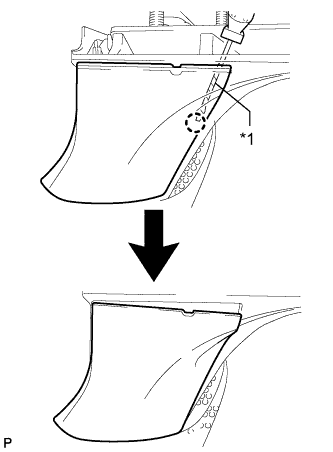
Text in Illustration *1 Protective Tape Detach the claw to create a space between the lower mirror cover and cover base as shown in the illustration.
-
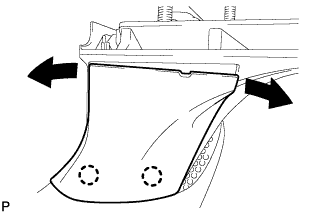
While moving the lower mirror cover back and forth in the directions of the arrows in the illustration, detach the 3 claws and remove the lower mirror cover.
-
-
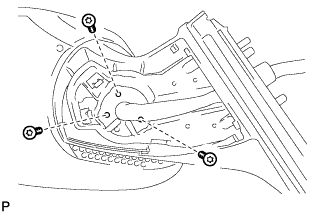
Using a T25 "TORX" socket wrench, remove the 3 screws.
-
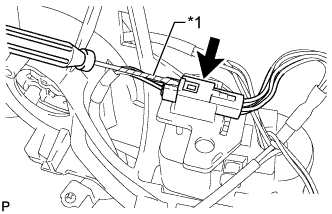
Text in Illustration *1 Protective Tape w/ Side Monitor System:
-
Remove the connector from the wire clip.
-
Disconnect the connector.
Note
When disconnecting the connector, be careful not to damage it.
-
-
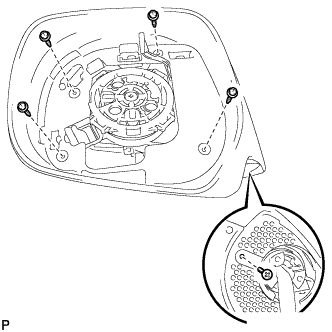
Remove the 5 screws and outer mirror body.
-
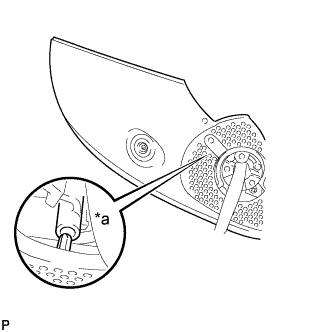
Text in Illustration *a A Detach the claw and remove the cover body.
Note
Be careful as the claw shown in the part of the illustration labeled A is easily damaged.
-
Remove the actuator sub-assembly.
-
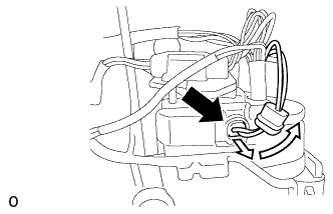
Slide the cover as shown in the illustration and disconnect the connector.
-
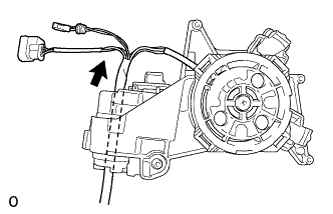
Pull out the wire harness sub-assembly in the direction indicated by the arrow in the illustration.
-
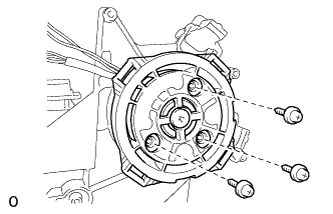
Remove the 3 screws and actuator sub-assembly.
-
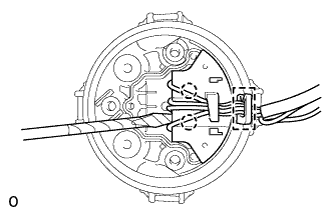
Detach the clamp.
-
Using a thin-bladed screwdriver with its tip wrapped with protective tape, detach the two claws and disconnect the connector.
-
-
w/ Side Monitor System:
-
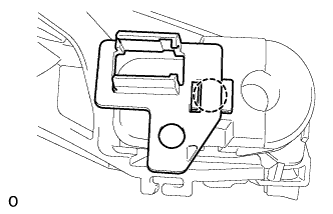
Detach the claw and remove the wire clip.
-
-
Remove the support spring.
-
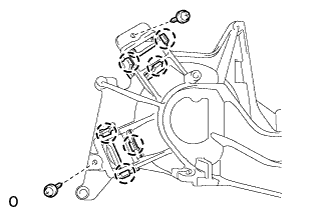
Remove the 2 screws, and then detach the 6 claws and remove the 2 support springs.
-
-
-
REMOVE SIDE TELEVISION CAMERA ASSEMBLY (w/ Side Monitor System)
-
Remove the side television camera assembly Click here.
-