TELEVISION CAMERA (for Rear with Tire Carrier) INSTALLATION

-
INSTALL REAR TELEVISION CAMERA ASSEMBLY
-
Install the rear television camera with the bolt.
- Torque:
- 32 N*m { 326 kgf*cm, 24 ft.*lbf }
-
Connect the connector to install the rear No. 2 window wire.
-
-
INSTALL TELEVISION CAMERA BRACKET
-
Install the television camera bracket with rear television camera with the 2 bolts.
- Torque:
- 32 N*m { 326 kgf*cm, 24 ft.*lbf }
-
Attach the clamp and connect the connector.
-
-
INSTALL NO. 2 SPARE WHEEL COVER
-
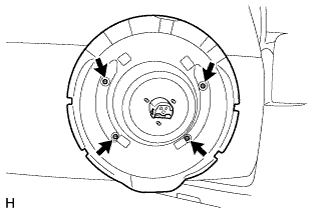
Install the No. 2 spare wheel cover with the 4 screws.
-
-
INSTALL SPARE TIRE
-
INSTALL SPARE WHEEL COVER
-
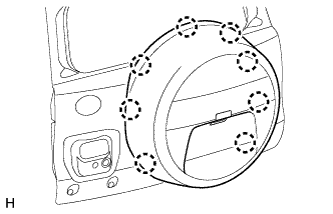
Attach the 8 claws to install the spare wheel cover.
-
Move the lever.
-
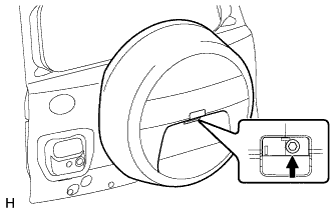
Install the bolt.
- Torque:
- 14 N*m { 143 kgf*cm, 10 ft.*lbf }
-
-
INSTALL SPARE WHEEL COVER PAD
-
Attach the 7 claws to install the wheel cover pad.
-
-
ADJUST REAR TELEVISION CAMERA ASSEMBLY
-
w/ Side Monitor System:
-
w/o Side Monitor System:
-