TELEVISION CAMERA (for Rear with Tire Carrier) REMOVAL

-
REMOVE SPARE WHEEL COVER PAD
-
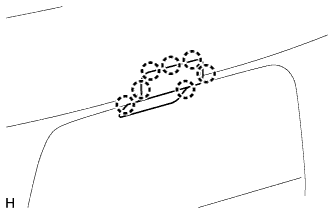
Detach the 7 claws and move the wheel cover pad out of the way.
-
-
REMOVE SPARE WHEEL COVER
-
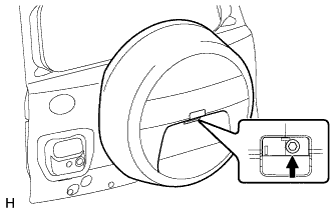
Remove the bolt.
-
Move the lever.
-
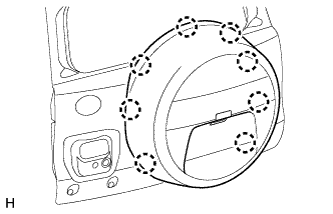
Detach the 8 claws and remove the spare wheel cover.
-
-
REMOVE SPARE TIRE
-
REMOVE NO. 2 SPARE WHEEL COVER
-
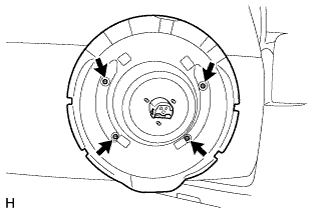
Remove the 4 screws and No. 2 spare wheel cover.
-
-
REMOVE TELEVISION CAMERA BRACKET
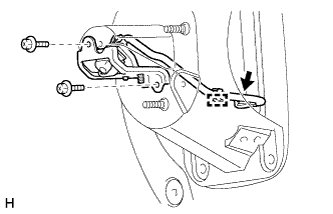
-
Disconnect the connector and detach the clamp.
-
Remove the 2 bolts and television camera bracket with rear television camera.
-
-
REMOVE REAR TELEVISION CAMERA ASSEMBLY

-
Disconnect the connector and remove the rear No. 2 window wire.
-
Remove the bolt and rear television camera.
-