AIR CONDITIONING SYSTEM ACTUATOR CHECK

-
ACTUATOR CHECK
-
Start the engine and warm it up.
-
Perform the indicator check Click here.
-
Push the "R/F" switch to perform the actuator check.
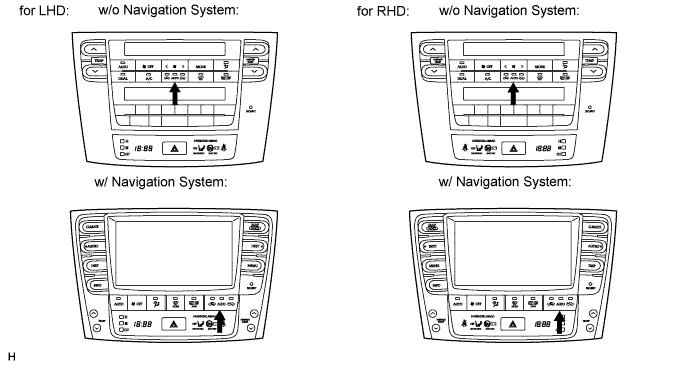
Tech Tips
Be sure to perform the actuator check after starting the engine.
-
As the actuator check is repeated from steps 1 to 10 at 1 second intervals, check the temperature and air flow visually and by hand.
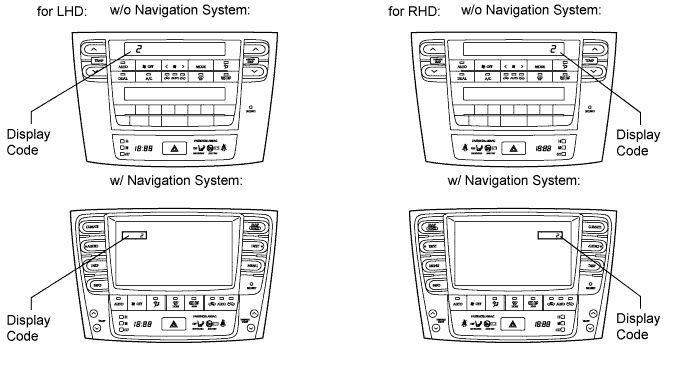
Tech Tips
-
The display blinks at 1 second intervals in the step operation.
-
Push the "OFF" switch to finish panel diagnosis.
-
Push the "AUTO" switch to enter sensor check mode.
Step No. Display Code Condition Blower Level Air Mix Damper Airflow Vent Air Inlet Damper Cool Air By-pass Damper Compressor 1 0 0 0% open FACE FRESH -14 % OFF 2 1 1 0% open FACE FRESH -14 % OFF 3 2 17 0% open FACE RECIRCULATION/FRESH -14 % ON 4 3 17 0% open FACE RECIRCULATION 113.50 % ON 5 4 17 50% open B/L RECIRCULATION 113.50 % ON 6 5 17 50% open B/L RECIRCULATION 113.50 % ON 7 6 17 50% open FOOT FRESH 113.50 % ON 8* 7 17 100% open FOOT-0 FRESH 113.50 % ON 9 8 17 100% open F/D FRESH 113.50 % ON 10 9 31 100% open DEF FRESH 113.50 % ON Tech Tips
*: This only occurs for check mode. The air outlets remain the same but the air mix damper position will differ.
-
-
If the steps are difficult to read because they change automatically, push the "UpDr" switch to display the steps one at a time so that they can be read easily. The items are displayed step by step each time the "UpDr" switch is pushed.
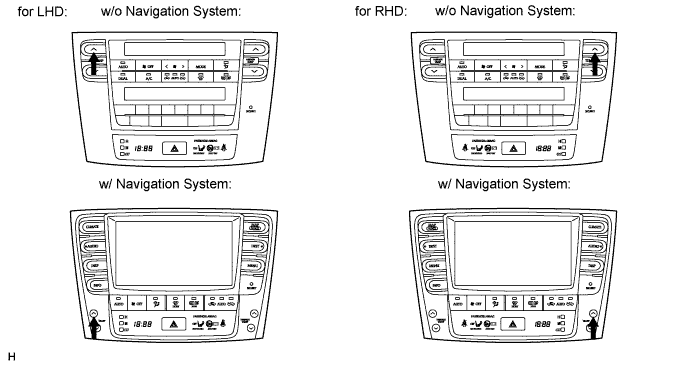
Tech Tips
-
Push the "OFF" switch to finish panel diagnosis.
-
Push the "R/F" switch to enter sensor check mode.
-
-