COMBINATION METER INSTALLATION

-
INSTALL COMBINATION METER ASSEMBLY
-
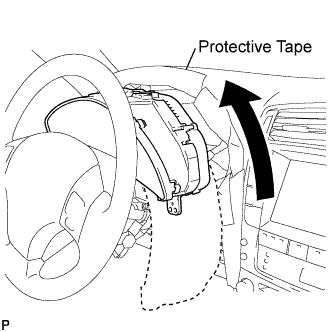
Position the combination meter assembly on the steering column as shown in the illustration.
Note
Do not damage the instrument panel safety pad or combination meter assembly.
-
Connect the connectors.
-
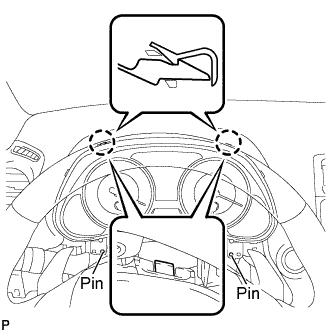
Engage the 2 positioning pins of the combination meter assembly.
-
Engage the 2 claws and install the combination meter assembly.
-
Remove the protective tape.
-
-
INSTALL WINDSHIELD WIPER SWITCH ASSEMBLY
-
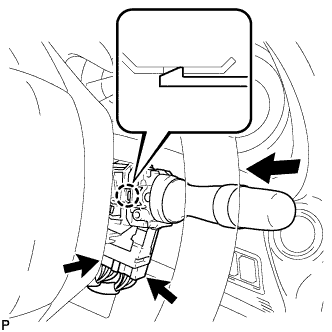
Engage the claw and install the windshield wiper switch assembly as shown in the illustration.
-
Connect the 2 connectors.
-
-
INSTALL INSTRUMENT CLUSTER FINISH PANEL SUB-ASSEMBLY
-
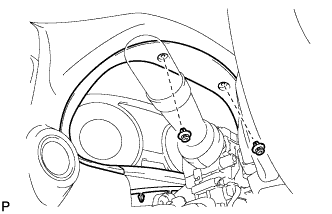
Install the 2 clips.
-
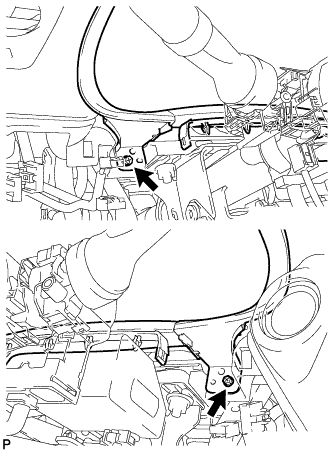
Install the instrument cluster finish panel sub-assembly with the 2 screws.
-
-
INSTALL LOWER INSTRUMENT PANEL FINISH PANEL SUB-ASSEMBLY
-
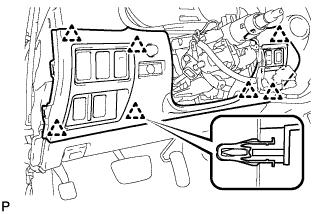
Connect the connectors.
-
Engage the 7 clips and install the lower instrument panel finish panel sub-assembly.
-
-
INSTALL SIDE INSTRUMENT PANEL LH
-
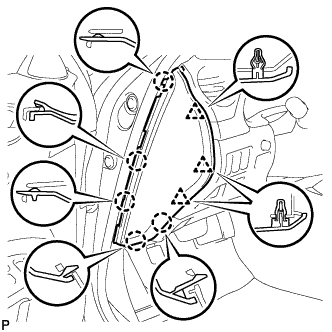
Engage the 5 claws and 3 clips, and then install the side instrument panel LH.
-
-
INSTALL FRONT DOOR OPENING TRIM COVER LH
-
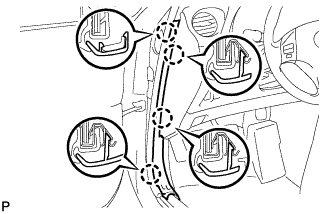
Engage the 4 claws and install the front door opening trim cover LH.
-
-
INSTALL FRONT DOOR SCUFF PLATE LH
-
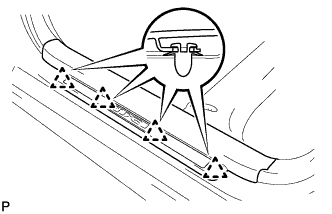
Engage the 4 clips.
-
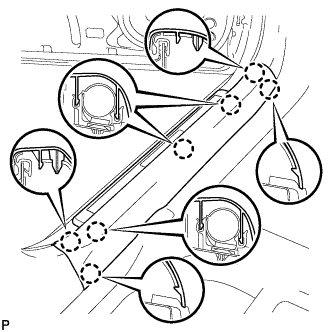
Engage the 7 claws and install the front door scuff plate LH.
-
-
INSTALL STEERING COLUMN COVER
-
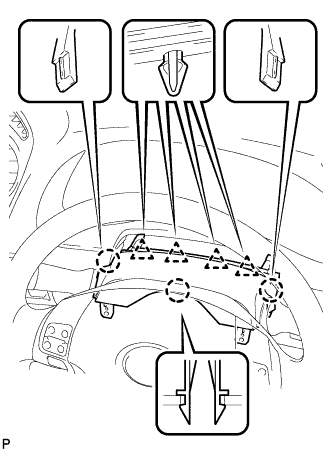
Engage the 3 claws and the 4 clips.
-
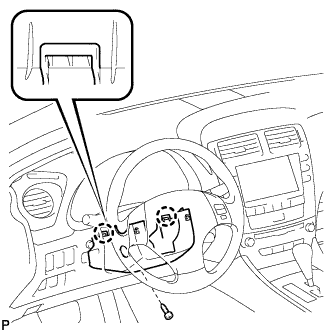
Engage the 2 claws and install the screw to the steering column cover.
Note
Do not damage the tilt and telescopic switch.
-
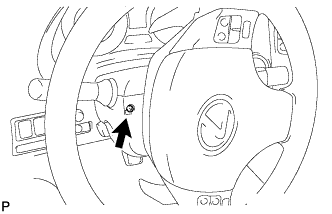
Turn the steering wheel assembly to the left and install the screw as shown in the illustration.
-
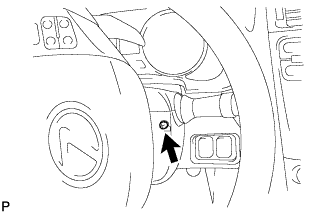
Turn the steering wheel assembly to the right and install the screw as shown in the illustration.
-
-
CONNECT CABLE TO NEGATIVE BATTERY TERMINAL
Note
When disconnecting the cable, some systems need to be initialized after the cable is reconnected Click here.