CAMSHAFT POSITION SENSOR REMOVAL

-
REMOVE V-BANK COVER SUB-ASSEMBLY
-
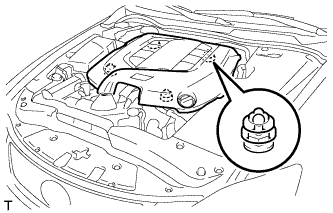
Hold the front of the V-bank cover sub-assembly and raise it to disengage the 2 clips on the front of the cover. Continue to raise the cover to disengage the 2 clips on the rear of the cover and remove the V-bank cover sub-assembly.
Note
Attempting to disengage both front and rear clips at the same time may cause the cover to break.
-
-
REMOVE CAMSHAFT POSITION SENSOR
-
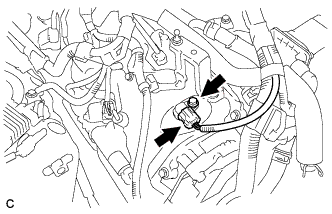
Disconnect the camshaft position sensor connector.
-
Remove the bolt and camshaft position sensor.
-
-
REMOVE VVT SENSOR (for Bank 1)
-
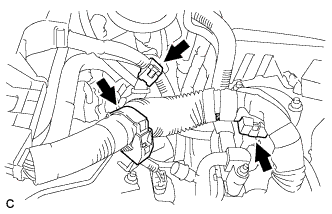
Separate the 3 wire harness clamps.
-
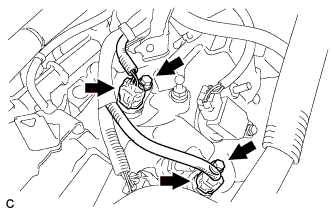
Disconnect the VVT sensor connectors.
-
Remove the 2 bolts and 2 VVT sensors.
-
-
REMOVE VVT SENSOR (for Bank 2)
-
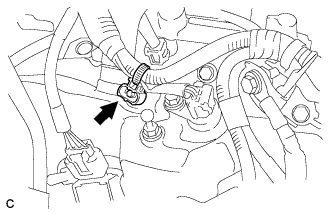
Separate the wire harness clamp.
-
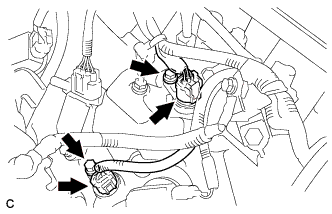
Disconnect the VVT sensor connectors.
-
Remove the 2 bolts and 2 VVT sensors.
-