BACK DOOR OPENER SWITCH INSTALLATION
-
INSTALL BACK DOOR OPENER SWITCH ASSEMBLY
-
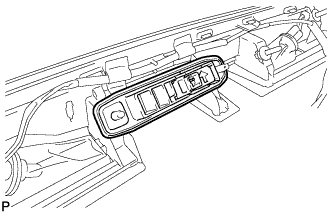
Install the back door opener switch assembly.
-
-
INSTALL BACK DOOR OUTSIDE GARNISH ASSEMBLY
-
Install 2 new clips and 5 new gaskets on the back door outside garnish assembly.
-
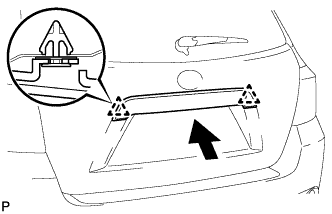
Engage the 2 clips and install the back door outside garnish assembly.
-
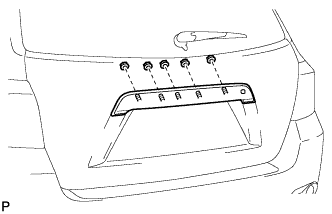
Install the 5 nuts.
-
Connect each connector.
-
-
INSTALL BACK DOOR TRIM PANEL ASSEMBLY
-
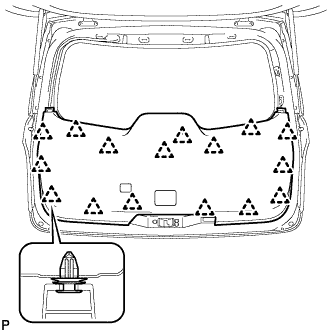
Engage the 16 clips and install the back door trim panel assembly.
-
-
INSTALL ASSIST STRAP ASSEMBLY
-
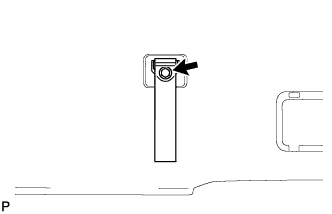
Install the assist strap assembly with the bolt.
-
-
INSTALL ASSIST STRAP HOLE COVER
-
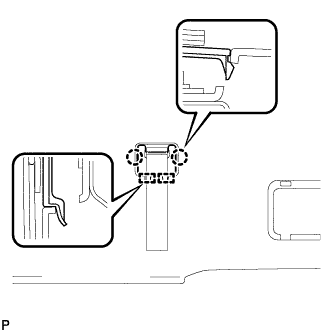
Engage the 2 guides and 2 claws, and install the assist strap hole cover.
-
-
INSTALL BACK DOOR LOCK COVER (for Glass Hatch Type)
-
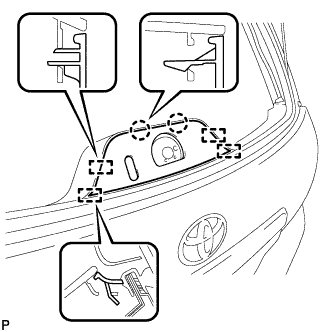
Engage the 4 guides and 2 claws, and install the back door lock cover.
-
-
INSTALL BACK DOOR TRIM COVER LH (w/o Power Back Door)
-
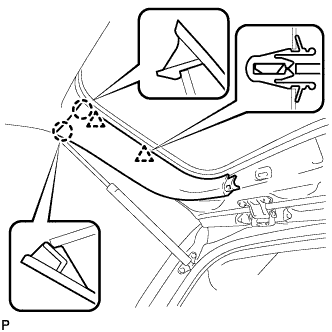
Engage the 2 clips and 2 claws, and install the back door trim cover LH.
-
-
INSTALL BACK DOOR TRIM COVER LH (w/ Power Back Door)
-
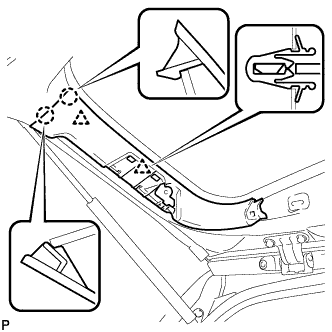
Engage the 2 clips and 2 claws, and install the back door trim cover LH.
-
-
CONNECT POWER BACK DOOR ROD (w/ Power Back Door)
-
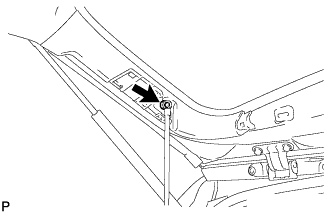
Install the back door stay plate and connect the power back door rod.
- Torque:
- 18 N*m { 184 kgf*cm, 13 ft.*lbf }
-
-
INSTALL BACK DOOR SERVICE HOLE COVER LH (w/ Power Back Door)
-
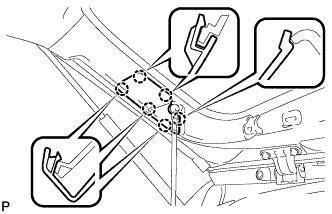
Engage the 6 claws and install the back door service hole cover LH.
-
-
INSTALL BACK DOOR TRIM COVER RH
-
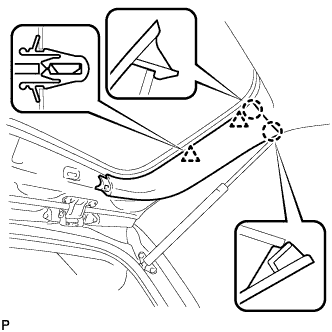
Engage the 2 clips and 2 claws, and install the back door trim cover RH.
-
-
INSTALL BACK WINDOW UPPER TRIM PANEL ASSEMBLY
-
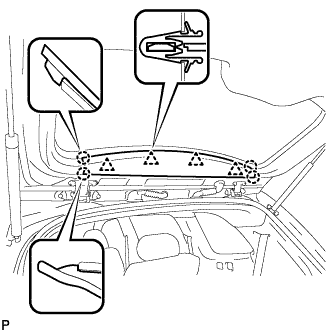
Engage the 4 clips and 4 claws, and install the back window upper trim panel assembly.
-
-
ADJUST PARKING ASSIST MONITOR SYSTEM (w/ Parking Assist Monitor System)