Click here
-
OUTLINE
-
The RSE (Rear Seat Entertainment) system allows the front and rear seat occupants to select different audio-visual modes at the same time.
-
The rear seat occupants can control the audio-visual modes with the remote controller and listen to the audio using wireless headphones.
-
The RSE system is controlled by the television display assembly.
-
The RSE system can play discs recorded entirely in the MP3 format, as well as music discs containing a mixture of CD data (CD-DA files) and MP3 data.
Tip:MP3 is short for MPEG1 (Moving Picture Expert Group Phase 1) and 2 Audio Layer 3. It is an audio compression standard set by a working group (MPEG) of the ISO (International Organization for Standardization). MP3 data is compressed audio data that is about 1/10 the size of a conventional disc's audio data.
-
-
FUNCTION OF MAIN COMPONENTS
Component Function Television display assembly
-
DVD player
-
Headphone terminal
-
Displays DVD and video images.
-
Receives signals from remote controller.
-
Outputs audio signals to wireless headphones in the form of infrared signals.
-
Outputs audio signals to wired headphones that are connected.
Remote controller Outputs various control signals of the RSE system to the television display in the form of infrared signals. Wireless headphones
-
Receives the audio signals from the television display in the form of infrared signals.
-
Volume adjustment of the wireless headphones can be done by using the volume control on the wireless headphones.
-
-
DVD (Digital Versatile Disc) PLAYER OUTLINE (for TELEVISION DISPLAY)
-
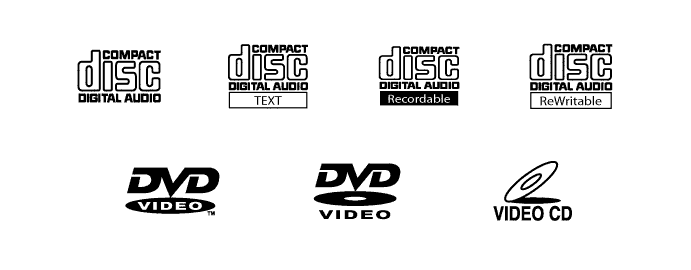
The DVD player can only play DVD videos that have any of the following marks:
-
Precaution for use of discs
Note:
-
PAL or SECAM color television standard discs cannot be played. (Only NTSC discs can be played.)
-
Keep the discs away from dirt. Be careful not to damage the discs or leave your fingerprints on them.
-
Hold discs by the outer edge and center hole with the label side up.
-
Leaving the disc exposed halfway out of the slot for a long time after pressing the disc eject button may cause deformation of the disc, making the disc unusable.
-
Do not use uniquely-shaped CDs because these may cause player malfunctions.
-
Do not use discs whose recording portion is transparent or translucent because they may not be able to be inserted, ejected, or played normally.
-
-
-