TRANSPONDER KEY AMPLIFIER (w/o Smart Entry and Start System) REMOVAL
-
REMOVE STEERING COLUMN COVER
-
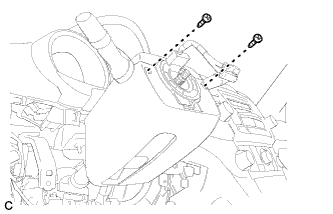
Remove the 2 screws.
-
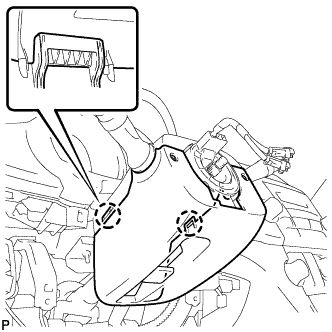
Disengage the 2 claws to remove the lower steering column cover.
-
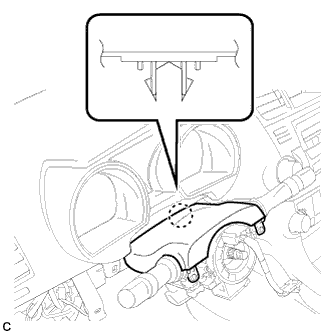
Disengage the claw to remove the upper steering column cover.
-
-
REMOVE TRANSPONDER KEY AMPLIFIER
-
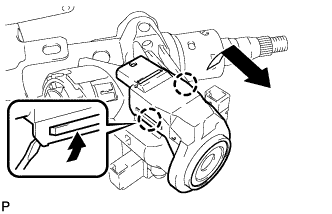
Using a screwdriver, widen the claws hanging onto the upper bracket by approximately 1.0 mm (0.039 in.).
-
Pull out the transponder key amplifier with the claw open.
Note
Using excessive force may damage the case.
-