SECURITY INDICATOR LIGHT ASSEMBLY INSTALLATION
-
INSTALL INTEGRATION CONTROL AND PANEL ASSEMBLY (w/o Radio Receiver)
-
INSTALL RADIO TUNER OPENING COVER WITH BRACKET (w/o Radio Receiver)
-
Install the radio tuner opening cover with bracket to the integration control panel assembly with the 2 screws.
-
-
INSTALL NAVIGATION RECEIVER ASSEMBLY (w/ Navigation System)
-
INSTALL NO. 2 RADIO BRACKET (w/ Navigation System)
-
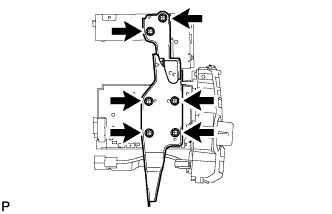
Install the No. 2 radio bracket with the 6 screws.
-
-
INSTALL NO. 1 RADIO BRACKET (w/ Navigation System)
-
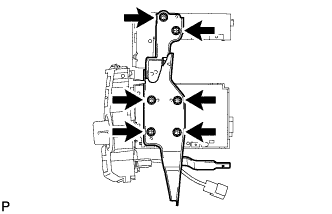
Install the No. 1 radio bracket with the 6 screws.
-
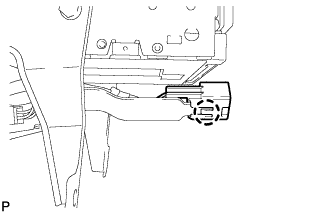
Engage the claw and connect the connector.
-
-
INSTALL INTEGRATION CONTROL AND PANEL ASSEMBLY (w/ Radio Receiver)
-
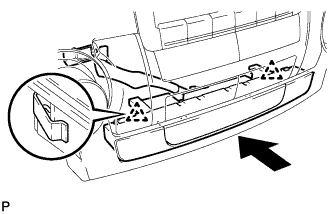
Engage the 2 clips and install the integration control and panel assembly.
-
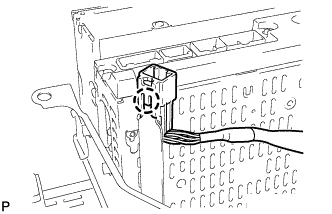
Engage the claw and connect the connector.
-
-
INSTALL INTEGRATION CONTROL AND PANEL ASSEMBLY WITH BRACKET (w/o Radio Receiver)
-
Connect each connector.
-
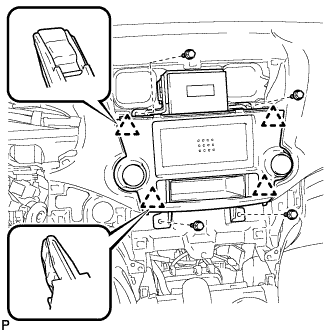
Engage the 4 clips.
-
Install the integration control and panel assembly with bracket with the 4 bolts <D>.
-
-
INSTALL NAVIGATION RECEIVER ASSEMBLY WITH BRACKET (w/ Navigation System)
-
Connect each connector.
-
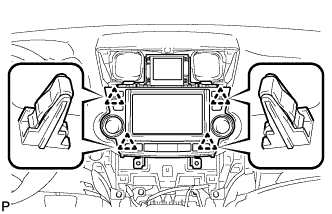
Engage the 4 clips.
-
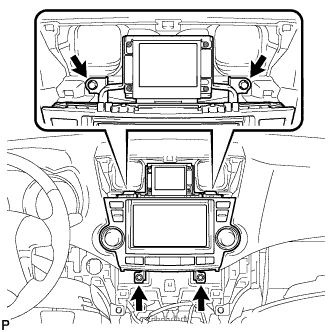
Install the navigation receiver assembly with bracket with the 4 bolts.
-
-
INSTALL RADIO RECEIVER ASSEMBLY WITH BRACKET (w/ Radio Receiver)
-
Connect each connector.
-
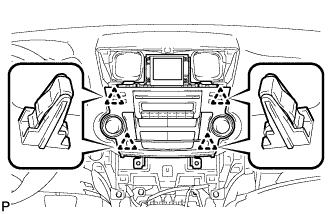
Engage the 4 clips.
-
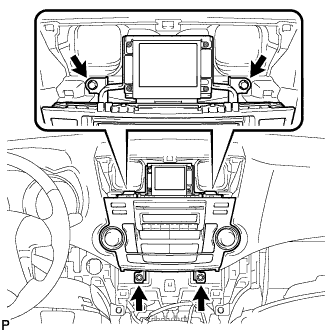
Install the radio receiver assembly with bracket with the 4 bolts.
-
-
INSTALL HEATER CONTROL AND ACCESSORY ASSEMBLY (for Manual Air Conditioning System)
-
Connect the connector.
-
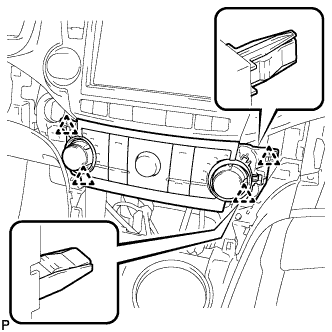
Engage the 4 clips and install the heater control and accessory assembly.
-
-
INSTALL AIR CONDITIONING CONTROL ASSEMBLY (for Automatic Air Conditioning System)
-
Connect the connector.
-
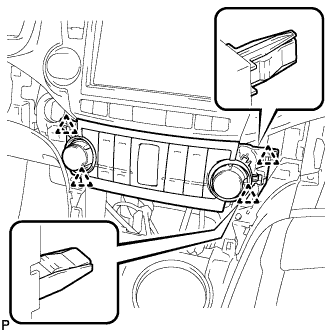
Engage the 4 clips and install the air conditioning control assembly.
-
-
INSTALL CENTER INSTRUMENT CLUSTER FINISH PANEL ASSEMBLY (w/o Smart Entry and Start System)
-
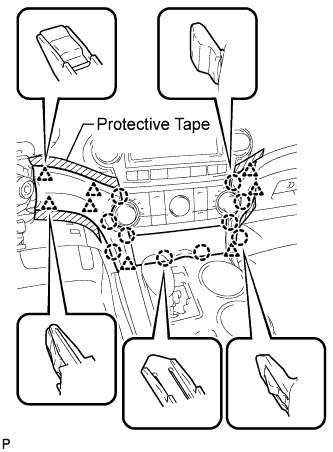
Apply protective tape to the areas shown in the illustration.
-
Connect each connector.
-
Engage the 10 claws and 8 clips, and install the center instrument cluster finish panel assembly.
Note
Do not the damage the instrument panel safety pad assembly and lower instrument panel finish panel sub-assembly.
-
-
INSTALL CENTER INSTRUMENT CLUSTER FINISH PANEL ASSEMBLY (w/ Smart Entry and Start System)
-
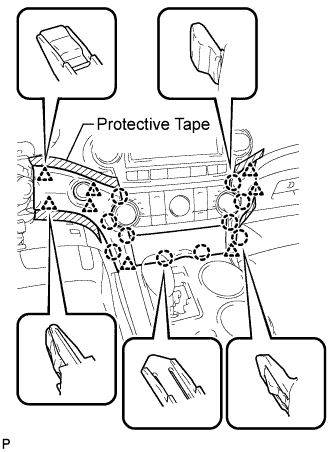
Apply protective tape to the areas shown in the illustration.
-
Connect each connector.
-
Engage the 10 claws and 8 clips, and install the center instrument cluster finish panel assembly.
Note
Do not the damage the instrument panel safety pad assembly and lower instrument panel finish panel sub-assembly.
-
-
INSTALL CENTER INSTRUMENT PANEL REGISTER ASSEMBLY
-
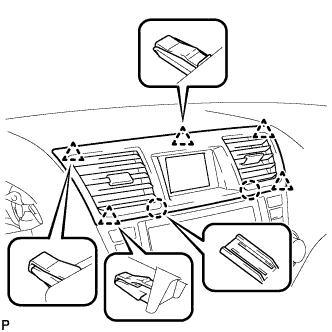
Engage the 2 claws and 5 clips, and install the center instrument panel register assembly.
-