POWER WINDOW MASTER SWITCH REMOVAL

Tech Tips
-
Use the same procedures for the LH side and RH side.
-
The procedures listed below are for the LH side.
-
REMOVE MULTIPLEX NETWORK MASTER SWITCH ASSEMBLY
-
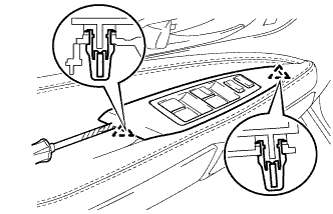
Using a screwdriver, detach the 2 clamps.
Tech Tips
Tape the screwdriver tip before use.
-
Detach the front armrest base panel assembly.
-
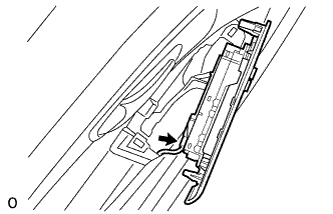
Disconnect the connector.
-
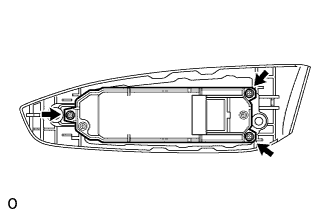
Remove the 3 screws and multiplex network master switch assembly.
-