ECD SYSTEM DTC CHECK / CLEAR

-
CHECK DTC
-
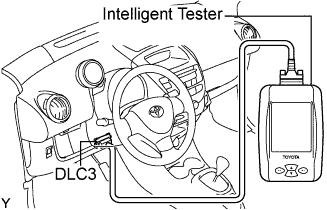
Connect an intelligent tester to the DLC3.
-
Turn the ignition switch to the ON position and turn the tester on.
-
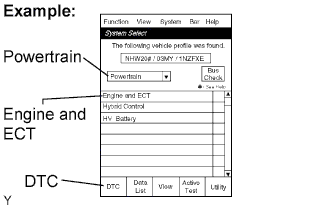
Select the following menu items: Powertrain / Engine and ECT / DTC.
-
Check the DTC(s) and freeze frame data, and then write them down.
-
Confirm the details of the DTCs, referring the DIAGNOSTIC TROUBLE CODE CHART.
-
-
CLEAR DTCS AND FREEZE FRAME DATA
Note
-
DTCs cannot be cleared without using the intelligent tester.
-
Be sure to input the date of repair completion and the total mileage in the ECM, otherwise, DTCs cannot be cleared.
-
After clearing DTCs, turn the ignition switch off for 15 seconds.
-
Connect the intelligent tester to the DLC3.
-
Turn the ignition switch to ON (do not start the engine) and turn the intelligent tester ON.
-
Select the following menu items: Powertrain / Engine and ECT / DTC / Clear.
-
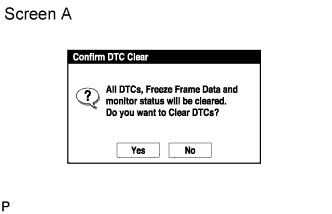
To continue the clear process, press the "Yes" button on the intelligent tester.
-
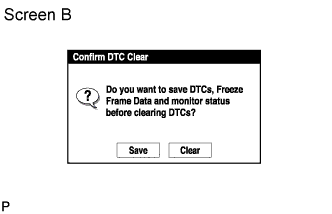
If you want to save the DTCs and freeze frame data press the "Save" button on the intelligent tester. When any name is input on the following screen, the data will be saved.
-
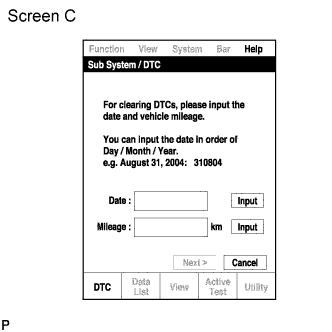
Input the date of work completion in the "Date" field using the intelligent tester.
-
Press the "input" button first.
-
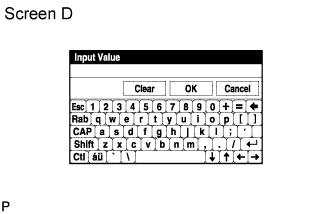
Input the date of work completion using the keyboard.
Tech Tips
Date: Day / Month / Year
-
Press the "OK" button.
Tech Tips
-
Pressing the "Cancel" button will display screen C.
-
-
-
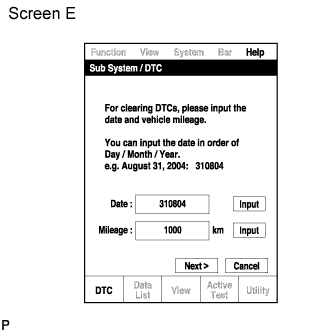
Input the total mileage in the "Mileage" field when the work is completed.
-
Press the "Input" button first.
Tech Tips
The units "km" and "mile" can be switched using the set up function in the system menu.
-
Input the total mileage using the keyboard when the work is completed.
-
Press the "OK" button.
Tech Tips
-
Pressing the "Cancel" button will display screen C.
-
-
-
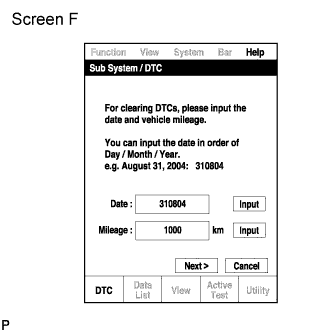
Press the "Next" button.
-
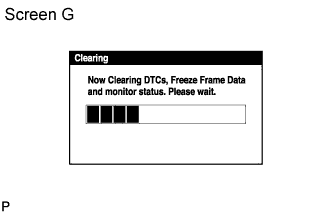
The "Clearing" screen will appear.
-
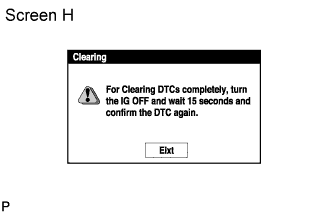
Press the "Exit" button.
-
Wait 15 seconds after the ignition switch is turned off, and check that the DTCs are cleared.
-