ECD SYSTEM REGISTRATION

-
WRITE THE VARIANT CODING
Note
-
If the ECM is replaced, variant coding (variant coding indicates the presence of vehicle accessory items, A/C, etc.) should always be performed.
-
If variant coding is not completed, DTC P1613 will be output.
-
After variant coding is completed, perform the following: 1) Turn the ignition switch OFF and wait 20 sec. 2) Start the engine. 3) Turn the ignition switch OFF and wait 20 sec. again. 4) Check if DTC P1613 is cleared.
-
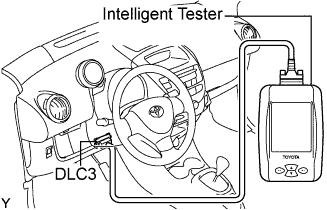
Connect the intelligent tester to the DLC3.
-
Turn the ignition switch to ON (do not start the engine) and turn the intelligent tester ON.
-
Select the following menu items: Powertrain / Engine and ECT / Utility / Write the Variant Coding.
-
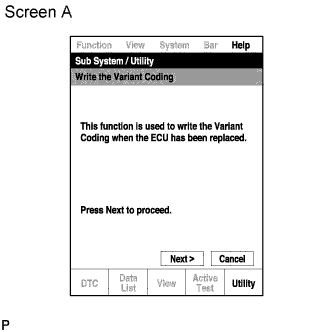
Write the variant coding by pressing the "Next" button on the intelligent tester.
Tech Tips
Pressing the "Cancel" button will display the utility screen.
-
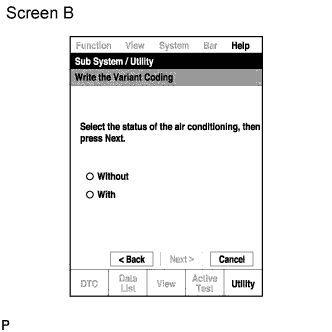
Select the status "With or Without" of the air conditioning, then press "Next" button.
Tech Tips
-
Pressing the "Back" button will display screen A.
-
Pressing the "Cancel" button will display the utility screen.
-
-
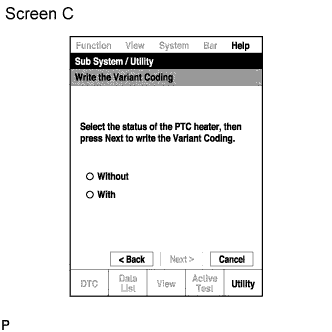
Select the status "With or Without" of the PTC heater, then press "Next" button to write the Variant Coding.
Tech Tips
-
Pressing the "Back" button will display screen A.
-
Pressing the "Cancel" button will display the utility screen.
-
-
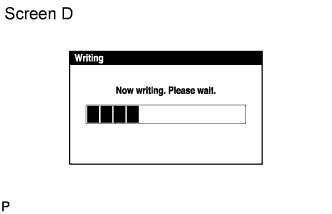
The "Writing" screen will appear.
Tech Tips
-
If writing of data and mileage is completed normally, screen E will appear.
-
-
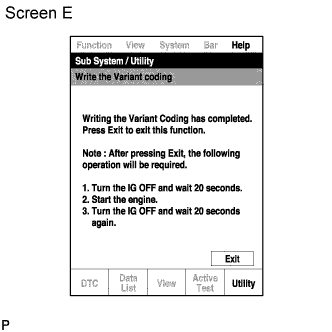
Press the "Exit" button.
-
Turn the ignition switch OFF and wait 20 sec.
-
Start the engine.
-
Turn the ignition switch OFF and wait 20 sec. again.
-
Check that DTC P1613 is cleared Click here.
-