CAN COMMUNICATION SYSTEM DIAGNOSIS SYSTEM

-
BUS CHECK (COMMUNICATION MALFUNCTION DTC)
Tech Tips
Only CAN communication system DTCs for each ECU can be displayed on the intelligent tester.
-
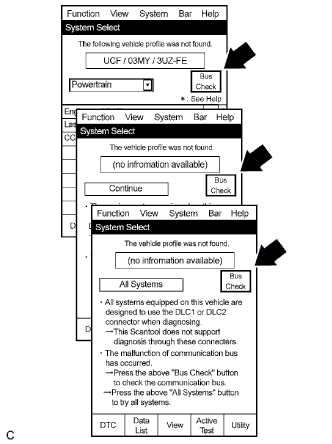
Select "Bus Check" from the "System Select" screen on the intelligent tester.
-
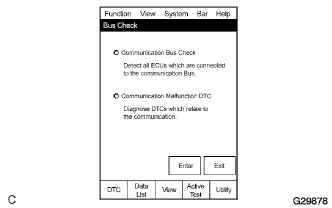
Select "Communication Malfunction DTC" from the "Bus Check" screen, and then select "Enter".
-
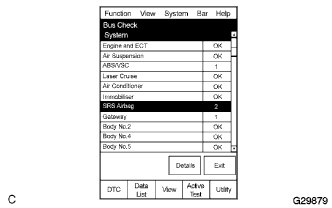
Select a system to be checked and select "Details".
-
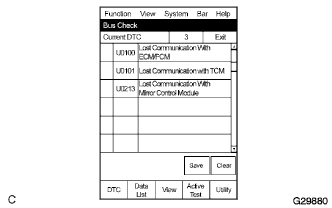
CAN communication system DTC(s) is/are displayed.
-
-
BUS CHECK (COMMUNICATION BUS CHECK)
Tech Tips
The ECUs and sensors that are properly connected to the CAN communication system can be displayed using the intelligent tester.
-
Select "Communication Bus Check" from the "Bus Check" screen.
-
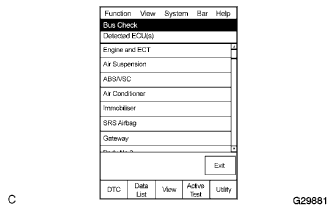
The screen displays the ECUs and sensors that are properly connected to the CAN communication system.
Tech Tips
There is a communication stop in the system of any properly connected ECUs or sensors that are not displayed.
-
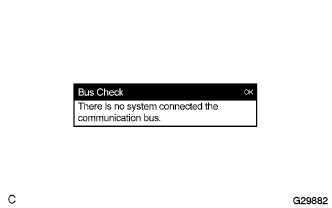
"There is no system connected to the communication bus" is displayed if there are no ECUs or sensors connected to the CAN bus.
-
-
CHECK FOR INSTALLED SYSTEMS (ECUS) THAT ADOPT CAN COMMUNICATION
-
Systems (ECUs) that adopt CAN communication vary depending on the vehicle's optional settings. Check which systems (ECUs) are installed on the vehicle.
ECU name Check method ECM Installed on all vehicles. (CAN communication is adopted only for vehicles with the 2TR-FE, 1KD-FTV or 2KD-FTV engine.) Air conditioning amplifier Installed on vehicles with air conditioners. (CAN communication is adopted only for vehicles with 2TR-FE, 1KD-FTV or 2KD-FTV engine.) Transmission control ECU Installed on only automatic transmission vehicles with 1KD-FTV or 2KD-FTV engine.
-