SPEEDOMETER SENSOR REMOVAL

-
REMOVE SPEEDOMETER DRIVEN (MTM) GEAR SUB-ASSEMBLY
-
Disconnect the connector.
-
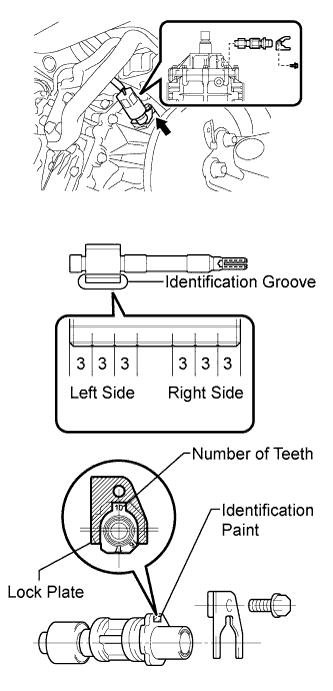
Remove the bolt and plate, and remove the speedometer driven gear sub-assembly.
Identification groove Number of teeth Identification paint Left side 3 13 / 4 White Left side 2 14 / 4 White Note
-
Installing the speedometer driven gear into the manual transmission improperly will result in inaccurate readings of the speedometer. Check the painted number of teeth of the speedometer driven gear before reinstalling.
-
If the identification paint cannot be identified, refer to the identification groove on the speedometer driven gear and the table above to determine the number of teeth before reinstalling.
-
-