PRE-CRASH SAFETY SYSTEM OPERATION CHECK
-
CHECK PRE-CRASH SYSTEM CANCEL SWITCH ASSEMBLY
-
Check pre-crash system cancel switch assembly (warning timing adjustment)
-
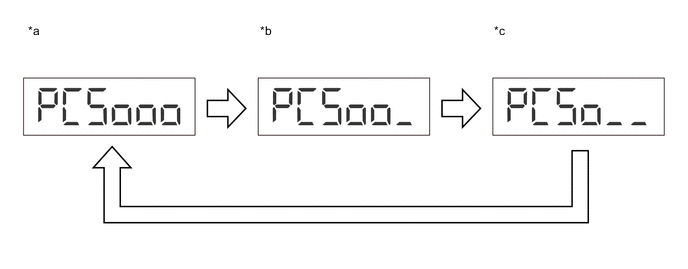
Text in Illustration *a Far *b Middle *c Near - -
-
Turn the ignition switch to ON.
-
Operate the pre-crash system cancel switch to change the timing of the pre-crash safety system between 3 levels and check that the warning timing adjustment display on the multi-information display changes between "Far", "Middle" and "Near".
Tech Tips
-
Information about sensitivity adjustment is displayed for 6 seconds on the multi-information display.
-
"Middle" is the default setting.
-
-
-
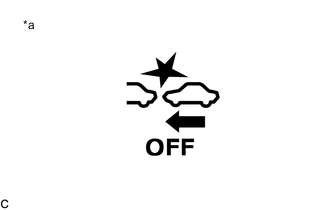
Text in Illustration *a PCS Warning Light (PCS OFF Indicator) Check pre-crash system cancel switch assembly (system on/off)
-
Turn the ignition switch to ON.
-
When the pre-crash system cancel switch assembly is pressed and held for 3 seconds or more, check that the PCS warning light (PCS OFF indicator) in the combination meter assembly illuminates "PCS OFF" is displayed in the multi-information display of the combination meter assembly.
Tech Tips
Even if the ignition switch is turned off with the pre-crash safety system off, the system will turn on when the ignition switch is turned to ON again.
-
-