CAUTION / NOTICE / HINT
The necessary procedures (adjustment, calibration, initialization, or registration) that must be performed after parts are removed, installed, or replaced during the main body ECU (multiplex network body ECU) removal/installation are shown below.
| Replaced Part or Performed Procedure | Necessary procedures | Effect/Inoperative Function when Necessary Procedure not Performed | Link |
|---|---|---|---|
| Replacement of main body ECU (multiplex network body ECU) | Perform code registration |
|
See Service Bulletin for the registration method. |
PROCEDURE
- Click here
PRECAUTION
Note:
-
Do not remove the main body ECU (multiplex network body ECU) except when replacing it.
-
When removing the main body ECU (multiplex network body ECU), always replace it with a new one.
Tip:
-
Use the same procedure for RHD and LHD vehicles.
-
The procedure listed below is for LHD vehicles.
-
- Click here
REMOVE LOWER NO. 1 INSTRUMENT PANEL AIRBAG ASSEMBLY
- Click here
REMOVE NO. 1 AIR DUCT SUB-ASSEMBLY
- Click here
REMOVE NO. 1 HEATER TO REGISTER DUCT
- Click here
REMOVE NO. 3 INSTRUMENT PANEL TO COWL BRACE SUB-ASSEMBLY
- Click here
REMOVE INSTRUMENT PANEL JUNCTION BLOCK ASSEMBLY WITH MAIN BODY ECU
-
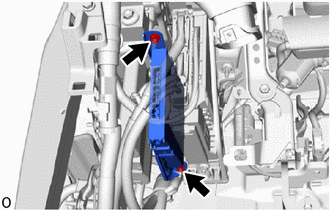
Remove the 2 nuts and disconnect the ECU.
Note: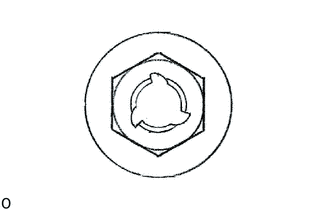
If the removed nut is the same shape as that shown in the illustration, replace it the supplied replacement part.
-
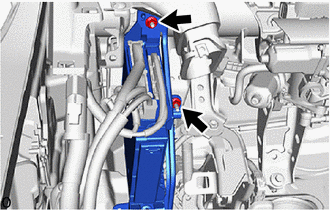
Remove the 2 nuts and disconnect the instrument panel junction block assembly with main body ECU.
Note:
If the removed nut is the same shape as that shown in the illustration, replace it the supplied replacement part.
-
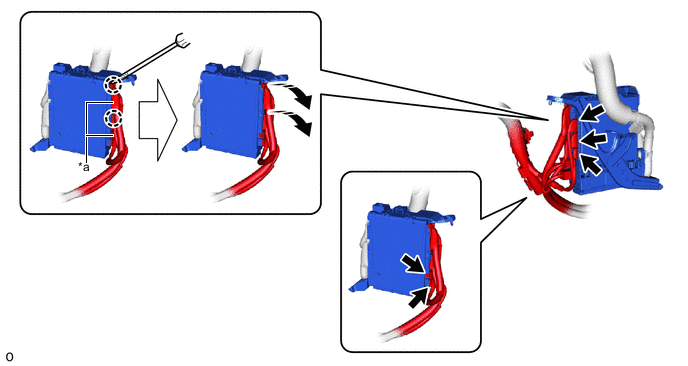
*a Lever Connector - - 
Rotate in this Direction 
Protective Tape Disconnect the 5 connectors.
-
Using a thin-bladed screwdriver with its tip wrapped with protective tape, detach the claw and disconnect the 2 lever connectors.
-
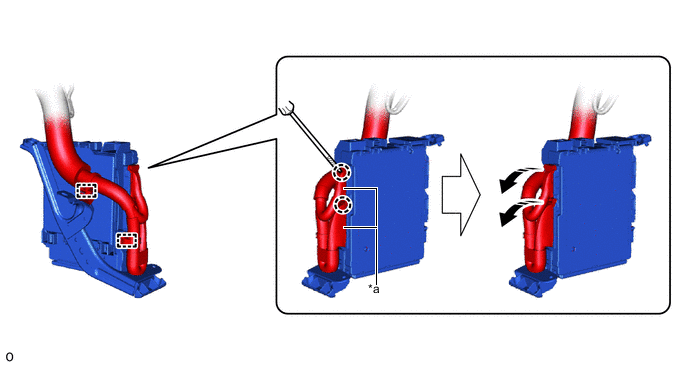
*a Lever Connector - - Rotate in this Direction Protective Tape Detach the clamp.
-
Using a thin-bladed screwdriver with its tip wrapped with protective tape, detach the claw, disconnect the 2 lever connectors and remove the instrument panel junction block with main body ECU assembly.
-
- Click here
REMOVE MAIN BODY ECU (MULTIPLEX NETWORK BODY ECU)
-
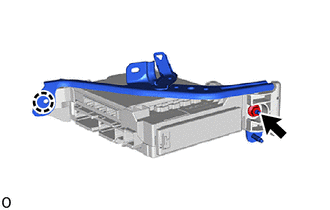
Remove the nut.
Note:
If the removed nut is the same shape as that shown in the illustration, replace it the supplied replacement part.
-
Detach the claw and remove the wiring harness clamp bracket.
-
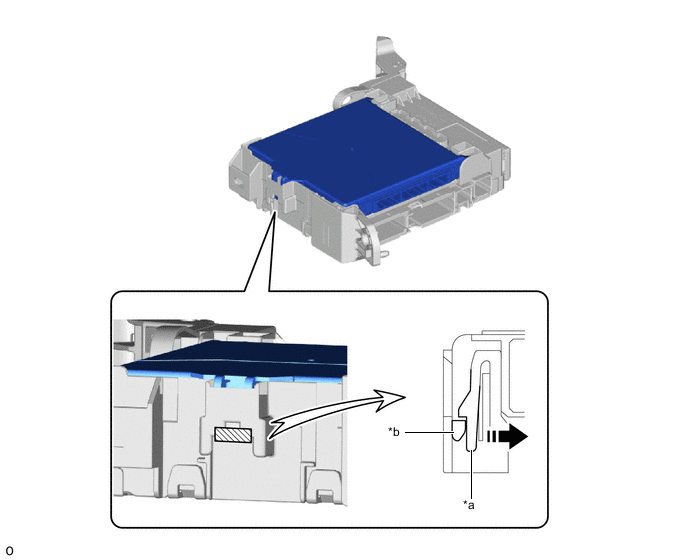
*a Instrument Panel Junction Block Assembly *b Main Body ECU (Multiplex Network Body ECU) Movement Direction Instrument Panel Junction Block Assembly Lock Press the lock of the instrument panel junction block assembly and release the lock of the main body ECU (multiplex network body ECU) as shown in the illustration.
-
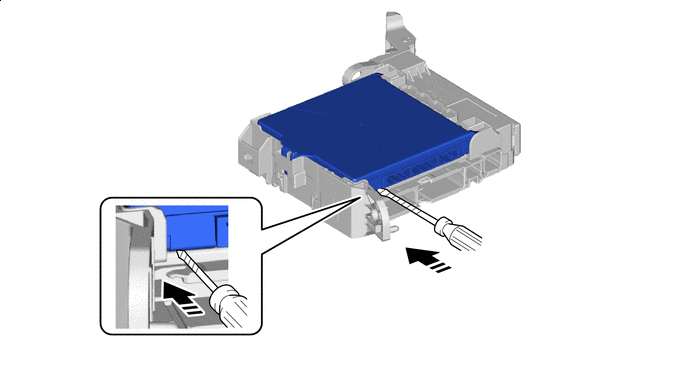
Horizontally Insert a Thin-bladed Screwdriver Protective Tape 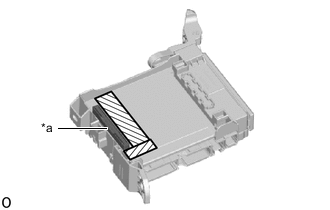
*a Internal Connector Near Internal Connector While pressing the lock, horizontally insert a thin-bladed screwdriver with its tip wrapped with protective tape between the main body ECU (multiplex network body ECU) and instrument panel junction block assembly (near the internal connector).
Note:Use a screwdriver with a diameter between 5.0 mm (0.197 in.) and 6.3 mm (0.248 in.) and a length of approximately 90 mm (3.54 in.).
-
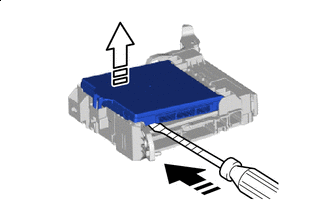
Insert a Thin-bladed Screwdriver in this Direction 
Released in this Direction Protective Tape When the thin-bladed screwdriver with its tip wrapped with protective tape is inserted, the internal connector lock is released.
Note:Replace the instrument panel junction block assembly when the connector terminal, the locking section, or the case is damaged or deformed.
-
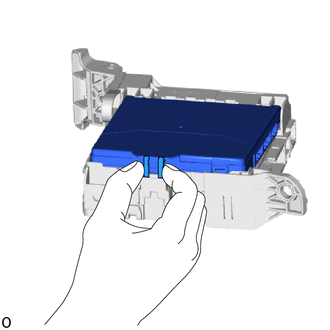
Hold the rib of the main body ECU (multiplex network body ECU).
-
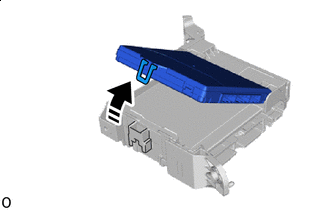
Rotate in this Direction While rotating the main body ECU (multiplex network body ECU), completely release the lock.
-
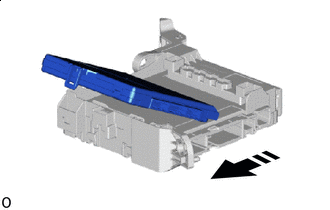
Remove in this Direction Remove the main body ECU (multiplex network body ECU) from the instrument panel junction block assembly.
-