FRONT CONSOLE BOX INSTALLATION
CAUTION / NOTICE / HINT
Tech Tips
-
Use the same procedure as for the LHD and RHD vehicles.
-
The procedure listed below is for the LHD vehicles.
-
A bolt without a torque specification is shown in the standard bolt chart.
PROCEDURE
-
INSTALL CONSOLE BOX ASSEMBLY
-
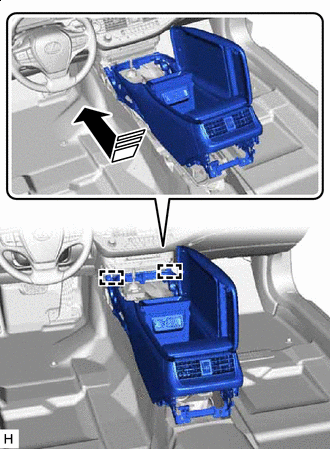

Install in this Direction Insert the guide and set the console box assembly into place in the direction indicated by the arrow shown in the illustration.
-
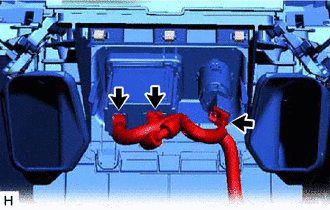
Connect the 3 connectors.
-
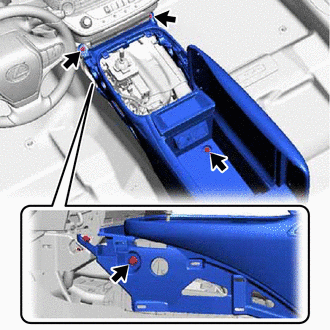
for LHD:
-
Install the 4 bolts.
-
-
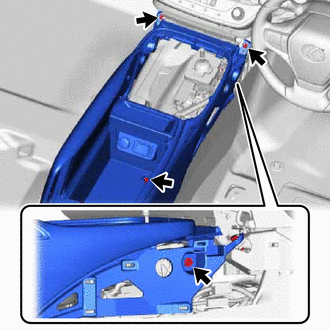
for RHD:
-
Install the 4 bolts.
-
-
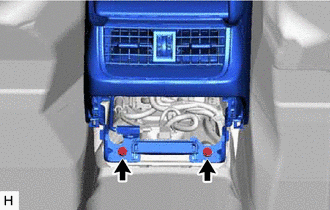
Install the console box assembly with the 2 bolts.
-
-
INSTALL BOX BOTTOM MAT
-
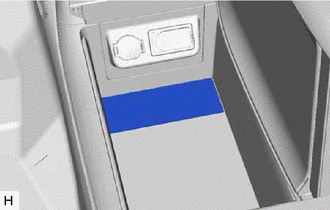
Install the box bottom mat.
-
-
INSTALL DISC PLAYER ASSEMBLY WITH BRACKET (w/ Disc Player)
-
INSTALL CONSOLE REAR END PANEL SUB-ASSEMBLY
-
w/ Disc Player:
-
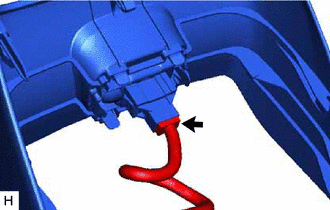
Connect the connector.
-
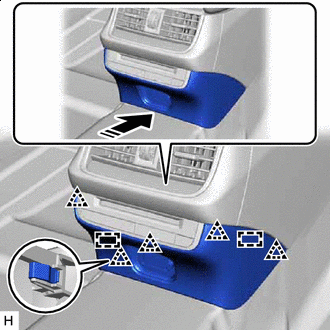
Install in this Direction Align the guide, attach the clip and install the console rear end panel sub-assembly in the direction indicated by the arrow shown in the illustration.
-
-
w/o Disc Player:
-
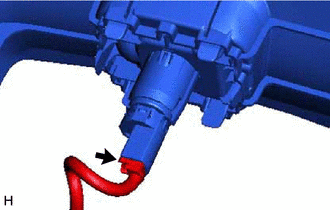
Connect the connector.
-
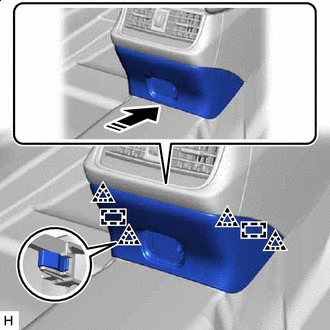
Install in this Direction Align the guide, attach the clip and install the console rear end panel sub-assembly in the direction indicated by the arrow shown in the illustration.
-
-
-
INSTALL LOWER CENTER INSTRUMENT PANEL FINISH PANEL
-
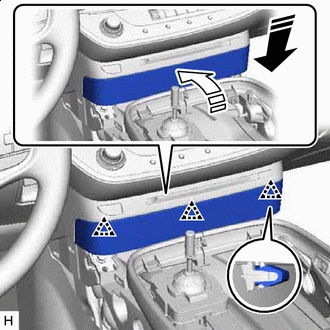
Install in this Direction (1) 
Install in this Direction (2) Set the lower center instrument panel finish panel into place in the installation direction (1).
-
Push in the installation direction (2) to attach the clip and install the lower center instrument panel finish panel.
-
-
INSTALL NO. 1 CONSOLE UPPER PANEL GARNISH
-
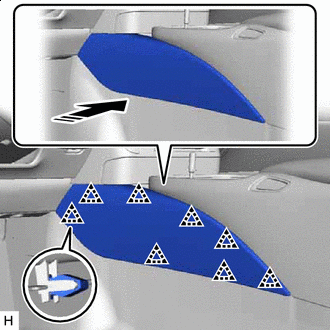
Install in this Direction Attach the clip and install the No. 1 console upper panel garnish in the direction indicated by the arrow shown in the illustration.
-
-
INSTALL NO. 2 CONSOLE UPPER PANEL GARNISH
-
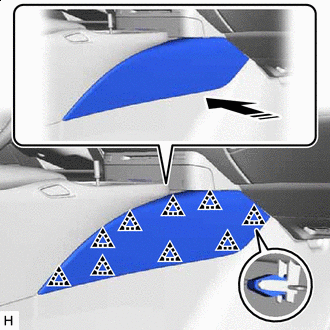
Install in this Direction Attach the clip and install the No. 2 console upper panel garnish in the direction indicated by the arrow shown in the illustration.
-
-
INSTALL UPPER CONSOLE PANEL ASSEMBLY
-
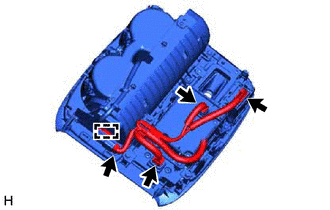
Attach the clamp and connect the 4 connectors.
-
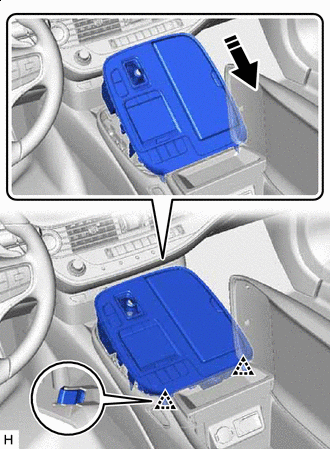
Install in this Direction Attach the clip in the direction indicated by the arrow shown in the illustration.
-
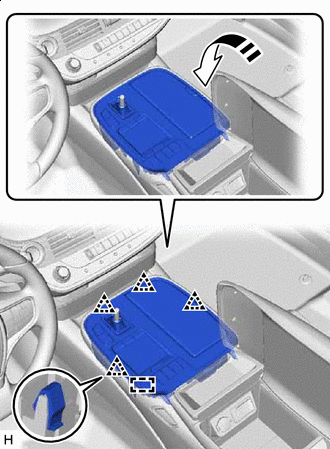
Install in this Direction Insert the guide, attach the clip and install the upper console panel assembly in the direction indicated by the arrow shown in the illustration.
-
-
INSTALL SHIFT LEVER KNOB SUB-ASSEMBLY