POWER POINT SOCKET(for Console Box Front Side) REMOVAL
PROCEDURE
-
REMOVE CONSOLE BOX PLATE
-
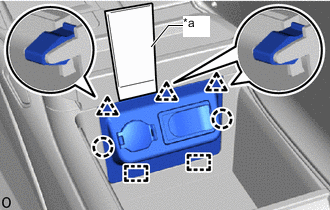
*a Moulding Remover D Using a moulding remover D, detach the clip, claw and guide and remove the console box plate as shown in the illustration.
-
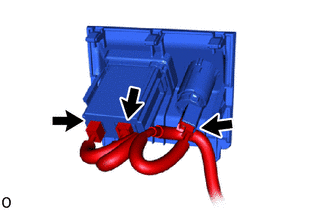
Disconnect the 3 connectors.
-
-
REMOVE NO. 1 POWER OUTLET SOCKET ASSEMBLY
-
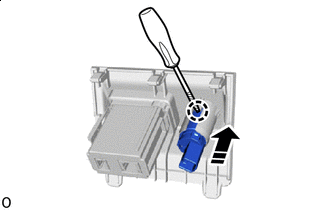

Remove in this Direction 
Protective Tape Using a thin-bladed screwdriver with its tip wrapped with protective tape, detach the claw and remove the No. 1 power outlet socket assembly as shown in the illustration.
Note
-
Do not subject the No. 1 power outlet socket assembly to any strong impact (such as dropping).
-
If the No. 1 power outlet socket assembly is subjected to any strong impact, replace the No. 1 power outlet socket assembly with a new one.
-
-
-
REMOVE NO. 1 POWER OUTLET SOCKET COVER
-
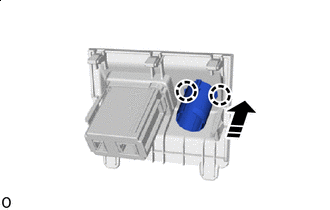
Remove in this Direction Detach the claw and remove the No. 1 power outlet socket cover as shown in the illustration.
-