ROCKER PANEL MOULDING DISASSEMBLY
CAUTION / NOTICE / HINT
Tech Tips
-
Use the same procedure for the RH and LH sides.
-
The procedure listed below is for the LH side.
PROCEDURE
-
REMOVE NO. 1 ROCKER PANEL MOULDING PROTECTOR
Tech Tips
When removing the No. 1 rocker panel moulding protector, heat the body rocker panel moulding assembly LH and No. 1 rocker panel moulding protector using a heat light.
Standard Item Temperature Body Rocker Panel Moulding Assembly LH 20 to 30°C (68 to 86°F) No. 1 Rocker Panel Moulding Protector CAUTION:
-
Do not touch the heat light and heated parts.
-
Touching the heat light may result in burns.
-
Touching heated parts for a long time may result in burns.
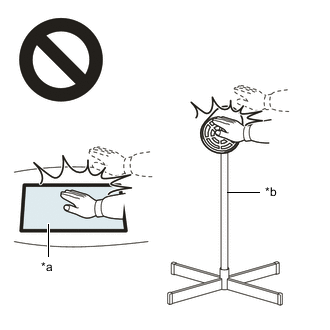
*a Heated Part *b Heat Light
-
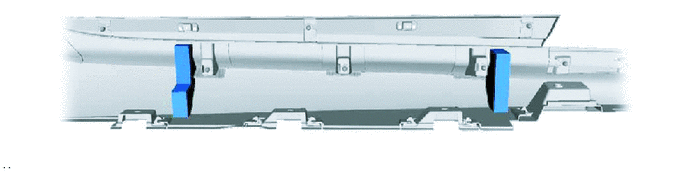
Remove the 2 No. 1 rocker panel moulding protectors.
-
-
REMOVE NO. 2 ROCKER PANEL MOULDING PROTECTOR
Tech Tips
When removing the No. 2 rocker panel moulding protector, heat the body rocker panel moulding assembly LH and No. 2 rocker panel moulding protector using a heat light.
Standard Item Temperature Body Rocker Panel Moulding Assembly LH 20 to 30°C (68 to 86°F) No. 2 Rocker Panel Moulding Protector CAUTION:
-
Do not touch the heat light and heated parts.
-
Touching the heat light may result in burns.
-
Touching heated parts for a long time may result in burns.
*a Heated Part *b Heat Light
-
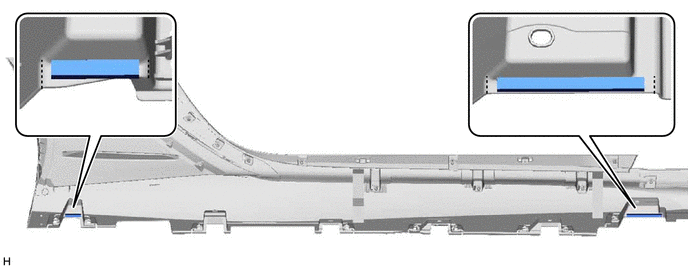
Remove the 2 No. 2 rocker panel moulding protectors.
-
-
REMOVE NO. 6 ROCKER PANEL MOULDING PROTECTOR
Tech Tips
When removing the No. 6 rocker panel moulding protector, heat the body rocker panel moulding assembly LH and No. 6 rocker panel moulding protector using a heat light.
Standard Item Temperature Body Rocker Panel Moulding Assembly LH 20 to 30°C (68 to 86°F) No. 6 Rocker Panel Moulding Protector CAUTION:
-
Do not touch the heat light and heated parts.
-
Touching the heat light may result in burns.
-
Touching heated parts for a long time may result in burns.
*a Heated Part *b Heat Light
-
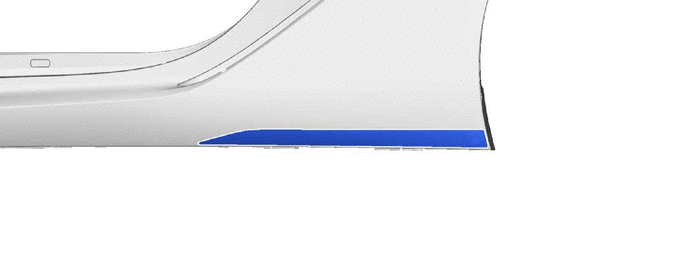
Remove the No. 6 rocker panel moulding protector.
-
-
REMOVE NO. 2 SIDE MUDGUARD PROTECTOR
Tech Tips
When removing the No. 2 side moulding protector, heat the body rocker panel moulding assembly LH and No. 2 side moulding protector using a heat light.
Standard Item Temperature Body Rocker Panel Moulding Assembly LH 20 to 30°C (68 to 86°F) No. 2 Side Moulding Protector CAUTION:
-
Do not touch the heat light and heated parts.
-
Touching the heat light may result in burns.
-
Touching heated parts for a long time may result in burns.
*a Heated Part *b Heat Light
-
for Front Side:
-
Remove the 2 No. 2 side moulding protectors.
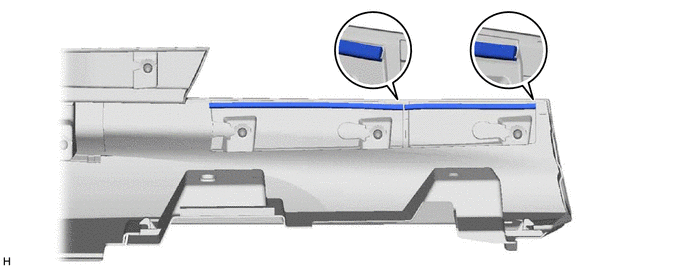
-
-
for Rear Side:
-
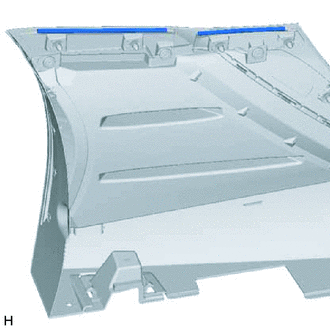
Remove the 2 No. 2 side moulding protectors.
-
-
-
REMOVE REAR BUMPER PAD
Tech Tips
When removing the rear bumper pad, heat the body rocker panel moulding assembly LH and rear bumper pad using a heat light.
Standard Item Temperature Body Rocker Panel Moulding Assembly LH 20 to 30°C (68 to 86°F) Rear Bumper Pad CAUTION:
-
Do not touch the heat light and heated parts.
-
Touching the heat light may result in burns.
-
Touching heated parts for a long time may result in burns.
*a Heated Part *b Heat Light
-
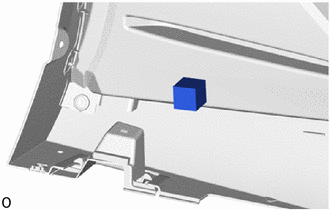
Remove the rear bumper pad.
-
-
REMOVE NO. 2 REAR BODY NAME PLATE