SIDE AIRBAG SENSOR INSTALLATION
CAUTION / NOTICE / HINT
Tech Tips
-
Use the same procedure as for the RHD and LHD vehicles.
-
The procedure listed below is for the LHD vehicles.
-
Use the same procedure for the RH and LH sides.
-
The procedure listed below is for the LH side.
PROCEDURE
-
INSTALL DOOR SIDE AIRBAG SENSOR LH
-
Check that the power switch is off.
-
Check that the cable is disconnected from the negative (-) auxiliary battery terminal.
CAUTION:
-
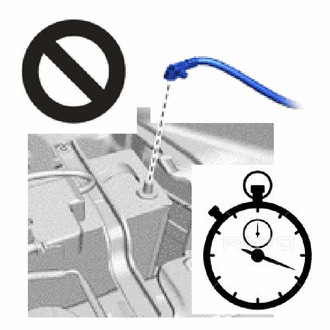
Wait at least 90 seconds after disconnecting the cable from the negative (-) auxiliary battery terminal to disable the SRS system.
-
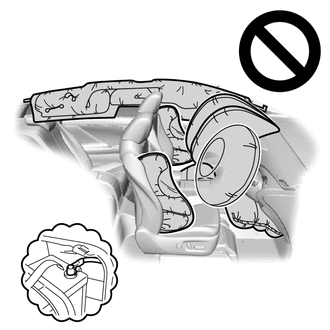
If this procedure is performed without disconnecting the negative (-) auxiliary battery terminal, the airbag may deploy even if an impact is applied only to the door side airbag sensor LH. Therefore, make sure that the negative (-) auxiliary battery terminal is disconnected before performing this procedure.
-
-
Attach the claw to hold the door side airbag sensor LH in place.
-
Install the nut.
- Torque:
- 9.0 N*m { 92 kgf*cm, 80 in.*lbf }
Note
-
If the door side airbag sensor LH has been dropped, replace it with a new one.
-
When installing the door side airbag sensor LH, be careful that the SRS wiring does not interfere with or is not pinched between other parts.
-
Tighten the nut while holding the door side airbag sensor LH.
-
Check that there is no looseness in the installation parts of the door side airbag sensor LH.
-
Connect the airbag connector.
Note
When connecting any airbag connector, take care not to damage the airbag wire harness.
-
Before connecting the connector, check that the position of the housing lock is correct as shown in the illustration.
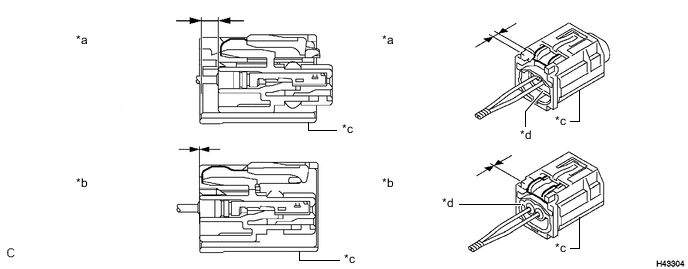
*a Correct *b Incorrect *c CPA *d Housing -
While holding the CPA be sure to engage the connectors until they are locked and check that the CPA is in its original position (when locking, make sure that a click sound can be heard).
Note
Do not push down the upper part of the CPA shown in the illustration when connecting the airbag connector.
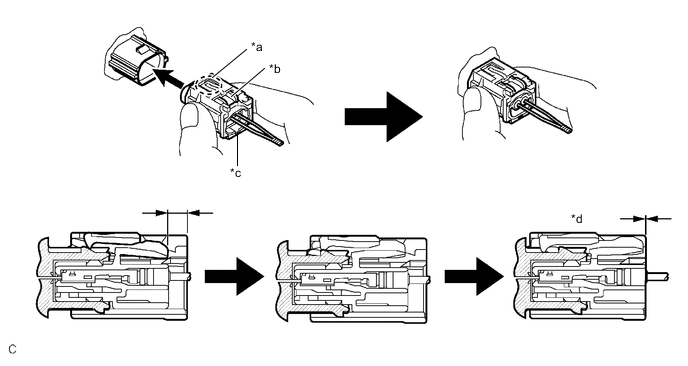
*a CPA Upper Part *b Housing Lock *c CPA *d Connection is Completed
-
-
-
INSTALL NO. 1 FRONT DOOR HOLE COVER SUB-ASSEMBLY LH
-
for Driver Side:
-
Align with the installation holes on the vehicle side and No. 1 front door hole cover sub-assembly LH.
-
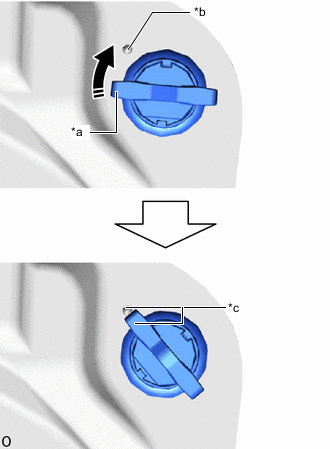
*a Knob *b Lock Mark *c Lock Position 
Rotate in this Direction Pass the new clip through the installation holes so that the clip knob is perpendicular.
-
With the clip knob installed perpendicular, rotate the clip knob 45° clockwise to align it to the lock mark and lock it.
Note
Do not reuse the clips after removing it.
Tech Tips
Use the same procedure for the other clips.
-
-
for Passenger Side:
-
Align with the installation holes on the vehicle side and No. 1 front door hole cover sub-assembly RH.
-
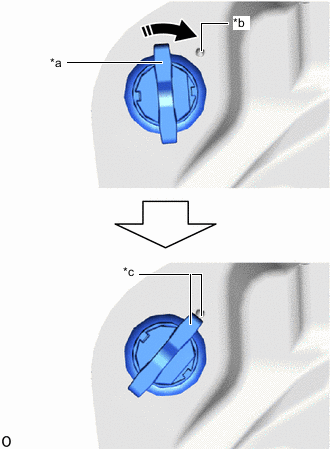
*a Knob *b Lock Mark *c Lock Position Rotate in this Direction Pass the new clip through the installation holes so that the clip knob is perpendicular.
-
With the clip knob installed perpendicular, rotate the clip knob 45° clockwise to align it to the lock mark and lock it.
Note
Do not reuse the clips after removing it.
Tech Tips
Use the same procedure for the other clips.
-
-
Check that the clip knob is in the lock position.
-
-
INSTALL FRONT DOOR TRIM BOARD SUB-ASSEMBLY LH (for Driver Side)
-
INSTALL FRONT DOOR TRIM BOARD SUB-ASSEMBLY RH (for Front Passenger Side)
-
INSTALL FRONT DOOR TRIM COVER SUB-ASSEMBLY LH (for Driver Side)
-
INSTALL FRONT DOOR ASSIST GRIP ASSEMBLY RH (for Front Passenger Side)
-
CONNECT CABLE TO NEGATIVE AUXILIARY BATTERY TERMINAL
Note
When disconnecting the cable, some systems need to be initialized after the cable is reconnected.
-
INSTALL NO. 2 DECK BOARD
-
PERFORM DIAGNOSTIC SYSTEM CHECK
-
CHECK SRS WARNING LIGHT