AMBIENT LIGHT(for Instrument Panel Side) REMOVAL
CAUTION / NOTICE / HINT
The necessary procedures (adjustment, calibration, initialization, or registration) that must be performed after parts are removed, installed, or replaced during the multi-display removal/installation are shown below.
| Replacement Part or Procedure | Necessary Procedure | Effect/Inoperative when not Performed | Link |
|---|---|---|---|
| Disconnect cable from negative(-) battery terminal | Memorize steering angle neutral point | LKA/LDA system | |
| Pre-collision system | |||
| Parking assist monitor system | |||
| Steering sensor zero point calibration | Variable gear ratio steering system |
Tech Tips
-
Use the same procedure for RHD and LHD vehicles.
-
The procedure listed below is for LHD vehicles.
PROCEDURE
-
REMOVE NO. 2 DECK BOARD
-
CUSTOMIZE POWER TILT AND POWER TELESCOPIC STEERING COLUMN SYSTEM
-
PRECAUTION
Note
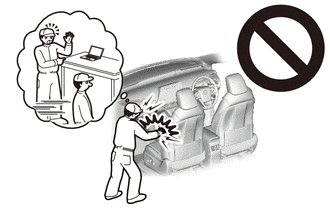
After turning the engine switch off, waiting time may be required before disconnecting the cable from the battery negative (-) terminal. Therefore, make sure to read the disconnecting the cable from the battery negative (-) terminal notices before proceeding with work.
-
DISCONNECT CABLE FROM NEGATIVE BATTERY TERMINAL
CAUTION:
-
Wait at least 90 seconds after disconnecting the cable from the negative(-) battery terminal to disable the SRS system.
-
If the airbag deploys for any reason, it may cause a serious accident.
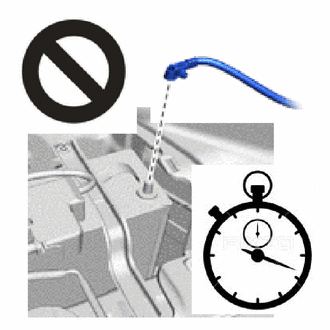
Note
When disconnecting the cable, some systems need to be initialized after the cable is reconnected.
-
-
REMOVE COMBINATION METER ASSEMBLY
-
REMOVE INTEGRATION CONTROL AND PANEL ASSEMBLY
-
REMOVE LOWER NO. 2 INSTRUMENT PANEL AIRBAG ASSEMBLY
-
REMOVE GLOVE COMPARTMENT DOOR ASSEMBLY
-
REMOVE NO. 2 INSTRUMENT PANEL REGISTER ASSEMBLY
-
REMOVE MULTI-DISPLAY
Note
When detaching the claw, pull directly to the rear of the vehicle to avoid damaging the multi-display.
-
Remove the 4 bolts.
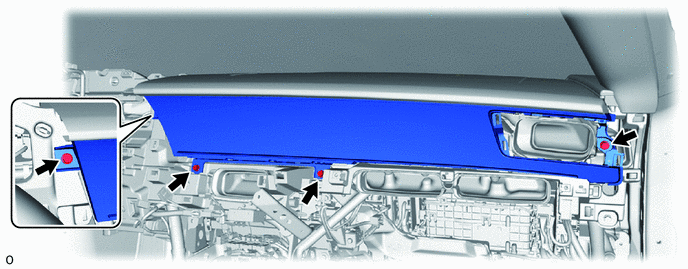
-
Place your hands at the location indicated shown in the illustration, pull the multi-display toward the rear of the vehicle to detach the claw.
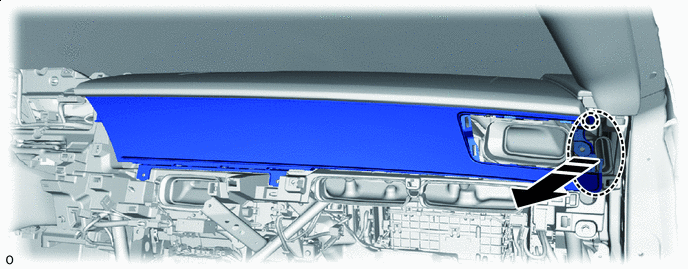

Place Hands Here 
Pull -
Place your hands at the location indicated shown in the illustration, pull the multi-display toward the rear of the vehicle to detach the claw.
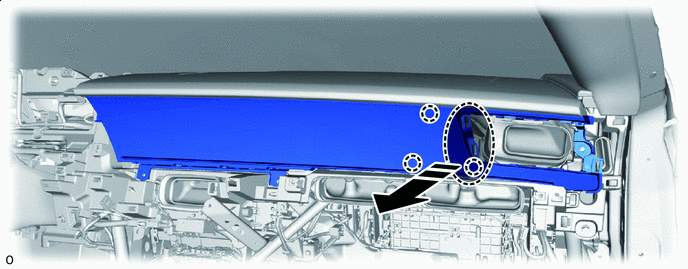
Place Hands Here Pull -
Place your hands at the location indicated shown in the illustration, pull the multi-display toward the rear of the vehicle to detach the claw.
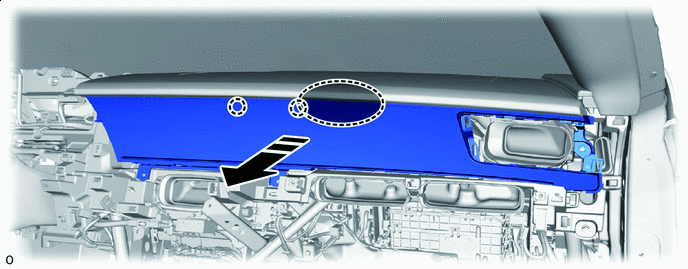
Place Hands Here Pull -
Place your hands at the location indicated shown in the illustration, pull the multi-display toward the rear of the vehicle to detach the claw to remove it.
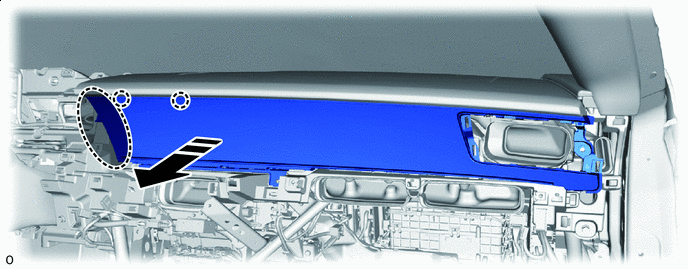
Place Hands Here Pull -
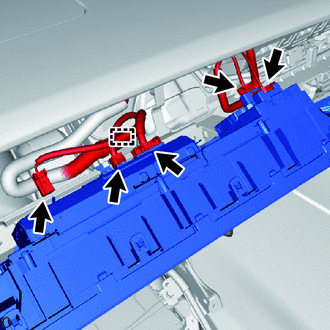
Detach the wire harness clamp and disconnect the 5 connectors.
-