FRONT BUMPER REMOVAL
CAUTION / NOTICE / HINT
The necessary procedures (adjustment, calibration, initialization, or registration) that must be performed after parts are removed and installed, or replaced during front bumper removal/installation are shown below.
| Replaced Part or Performed Procedure | Necessary Procedure | Effect/Inoperative Function when Necessary Procedure not Performed | Link |
|---|---|---|---|
|
Front television camera view adjustment | Panoramic view monitor system | Click here for Initialization Click here for Calibration |
| Front bumper assembly (w/ Intelligent clearance sonar system) |
|
|
Tech Tips
When the front bumper is damaged or deformed due to an accident or contact with other objects, etc., or the bumper installation area on the body is repaired, it is necessary to perform millimeter wave radar sensor adjustment.
PROCEDURE
-
REMOVE COOL AIR INTAKE DUCT SEAL
-
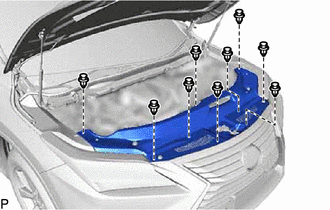
Remove the 9 clips and cool air intake duct seal.
-
-
DISCONNECT FRONT FENDER MOULDING SUB-ASSEMBLY LH
-
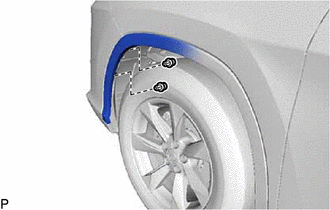
Remove the 2 clips.
-
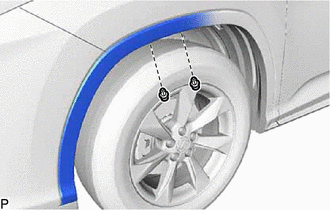
Remove the 2 clips.
-
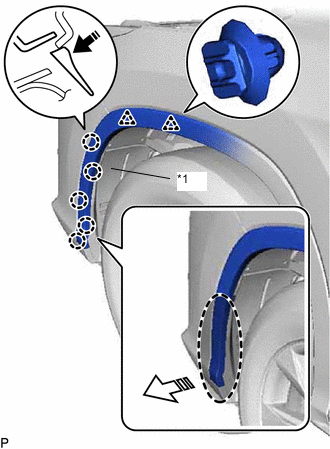
*1 Front Fender Splash Shield Sub-assembly LH 
Place Hand Here 
Remove in this Direction (1) 
Remove in this Direction (2) Pull back the edge of the front fender splash shield sub-assembly LH and disengage the 5 claws by pushing the area indicated by the arrow in the illustration with a finger.
Note
-
Do not apply excessive force when pulling back the front fender splash shield sub-assembly LH.
-
To avoid damaging the claws, do not forcibly pull the front fender moulding sub-assembly LH.
-
-
Disengage the 2 clips and disconnect the front fender moulding sub-assembly LH.
-
-
DISCONNECT FRONT FENDER MOULDING SUB-ASSEMBLY RH
Tech Tips
Use the same procedure as for the LH side.
-
REMOVE FRONT BUMPER ASSEMBLY
-
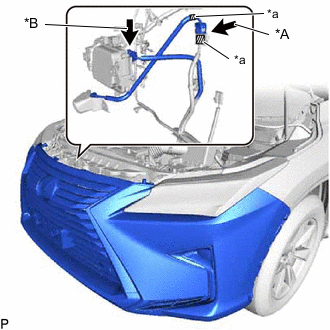
*A w/ Panoramic View Monitor System *B w/ Pre-crash Safety System *a Tape w/ Panoramic View Monitor System:
-
Apply tape to the 2 wire harnesses as shown in the illustration.
Tech Tips
Tape is used to identify the wire harnesses which are connected to the front television camera assembly.
-
-
Disconnect each connector.
-
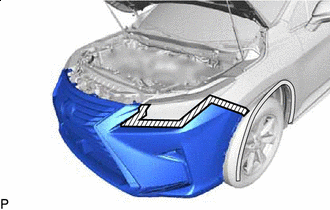

Protective Tape Apply protective tape around the front bumper assembly.
Tech Tips
Use the same procedure for the RH side and LH side.
-
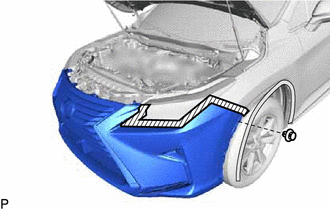
Remove the clip.
Tech Tips
Use the same procedure for the RH side and LH side.
-
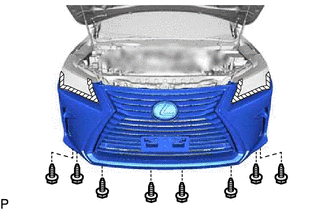
Remove the 8 screws.
-
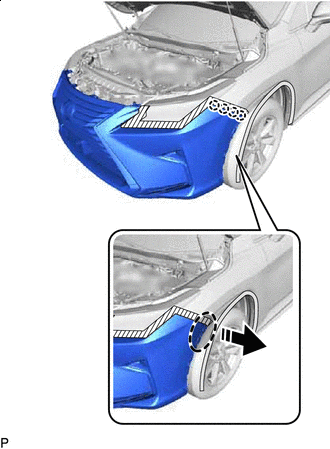
Place Hand Here Remove in this Direction Disengage the 4 claws as shown in the illustration.
Tech Tips
Use the same procedure for the RH side and LH side.
-
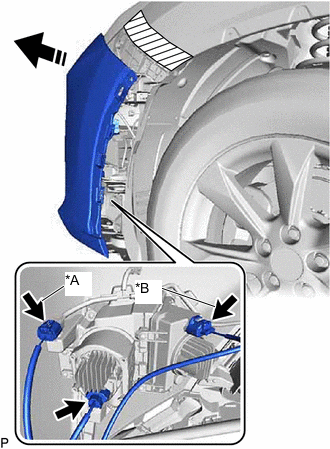
*A w/ LEXUS Parking Assist-sensor System *B w/ Cornering Light Remove in this Direction Pull back the side of the front bumper assembly, disconnect each connector.
Note
Do not apply excessive force when pulling back the front bumper assembly.
Tech Tips
Use the same procedure for the RH side and LH side.
-
w/ Headlight Cleaner System:
-
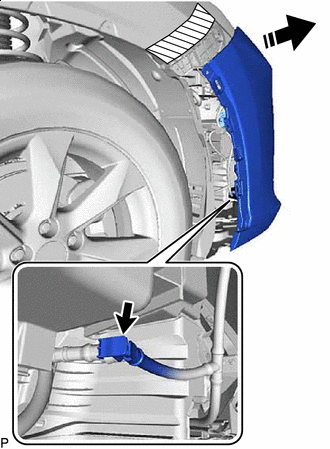
Remove in this Direction Pull back the side of the front bumper assembly and disconnect the headlight cleaner hose.
-
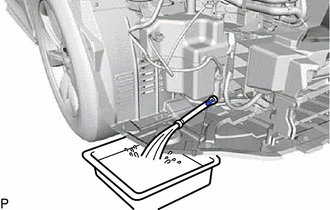
Drain the washer fluid.
Tech Tips
Use a container to collect the washer fluid.
-
-
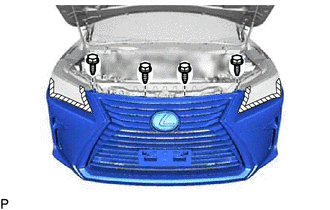
Remove the 4 bolts.
-
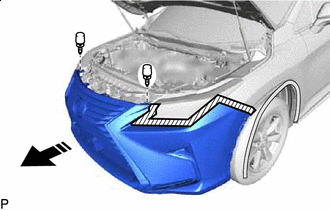
Remove in this Direction Remove the 2 clips and front bumper assembly as shown in the illustration.
-