COOLING FAN MOTOR ON-VEHICLE INSPECTION
PROCEDURE
-
CHECK COOLING FAN MOTOR
-
Disconnect the cooling fan motor connector.
-
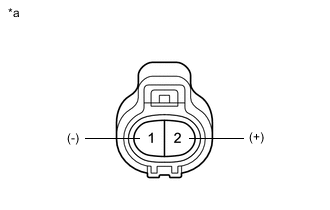
*a Component without harness connected
(Cooling Fan Motor)
Check that the cooling fan motor operates smoothly when the battery is connected to the cooling fan motor connector.
CAUTION:
-
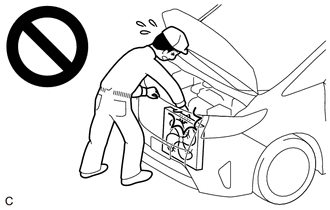
When checking the cooling fan motor, do not touch rotating components such as the cooling fan.
-
Touching rotating components such as the cooling fan could result in your hand or clothing getting caught and pulled in.
-
-
Measure the current while the cooling fan motor is operating.
Standard Current Condition Specified Condition Battery voltage applied at 20°C (68°F) 15.0 to 21.0 A If the result is not as specified, replace the cooling fan motor.
-
Connect the cooling fan motor connector.
-
-
CHECK NO. 2 COOLING FAN MOTOR
-
Disconnect the No. 2 cooling fan motor connector.
-
*a Component without harness connected
(No. 2 Cooling Fan Motor)
Check that the No. 2 cooling fan motor operates smoothly when the battery is connected to the No. 2 cooling fan motor connector.
CAUTION:
-
When checking the cooling fan motor, do not touch rotating components such as the cooling fan.
-
Touching rotating components such as the cooling fan could result in your hand or clothing getting caught and pulled in.
-
-
Measure the current while the No. 2 cooling fan motor is operating.
Standard Current Condition Specified Condition Battery voltage applied at 20°C (68°F) 15.0 to 21.0 A If the result is not as specified, replace the No. 2 cooling fan motor.
-
Connect the No. 2 cooling fan motor connector.
-