MULTI-DISPLAY REMOVAL
PROCEDURE
-
REMOVE CENTER INSTRUMENT CLUSTER FINISH PANEL SUB-ASSEMBLY
-
REMOVE MULTI-DISPLAY ASSEMBLY
-
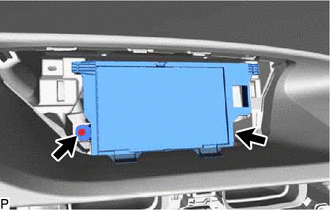
Remove the 2 screws.
-
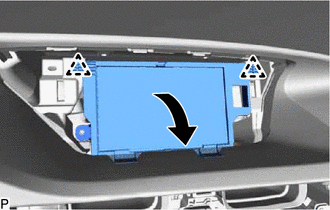
Pull the multi-display assembly in the direction indicated by the arrow to disengage the 2 clips.
-
Disconnect each connector and remove the multi-display assembly.
-