TIRE PRESSURE WARNING SYSTEM INITIALIZATION
Initialization can be confirmed using the tire pressure warning light. When the tire pressure warning system receives the initialization request, the tire pressure warning light blinks 3 times.
When the vehicle is driven for approximately 20 minutes, the initialization will complete automatically.
-
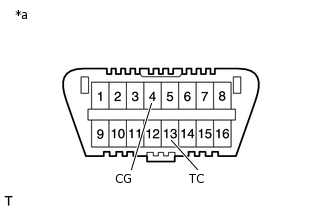
*a
Front view of DLC3
During test mode (sensor check mode), the system will not change to initialization mode even if the tire pressure warning reset switch is pushed.
BEFORE INITIALIZATION
Make sure that the tires are cool.
Set the tire pressure to the specified value.
INITIALIZATION PROCEDURE
With the vehicle stopped, turn the ignition switch to ON.
Press and hold the tire pressure warning reset switch for 3 seconds or more until the tire pressure warning light blinks 3 times.
Tip:If the tire pressure warning light does not blink, turn the ignition switch off and perform the initialization again.
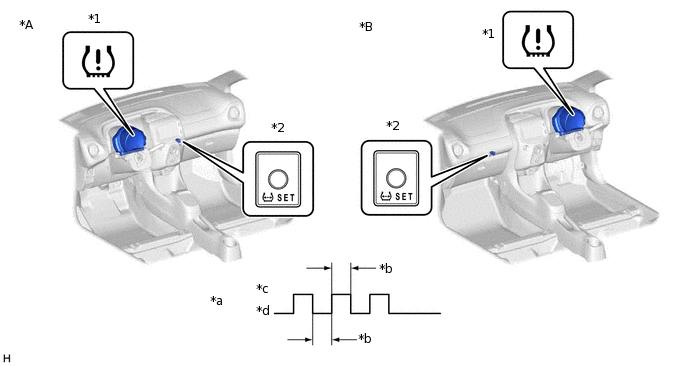
*A
for LHD
*B
for RHD
*1
Tire Pressure Warning Light
*2
Tire Pressure Warning Reset Switch
*a
Tire Pressure Warning Light Output Pattern
*b
1 sec.
*c
ON
*d
OFF
When the vehicle is driven for approximately 20 minutes, the initialization will complete automatically.
After initialization is completed, the tire pressure warning ECU monitors the tire pressure.
To verify the system has been initialized check the length of time the tire pressure warning light illuminates after turning the ignition switch to ON.
Tip:During initialization: Illuminates for 4 seconds
After initialization: Illuminates for 3 seconds