TELEVISION CAMERA(for J Deck) REMOVAL
PROCEDURE
-
REMOVE TAIL GATE SERVICE HOLE COVER
-
REMOVE REAR BODY TAIL GATE GARNISH
-
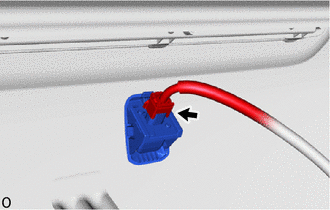
Disconnect the connector.
-
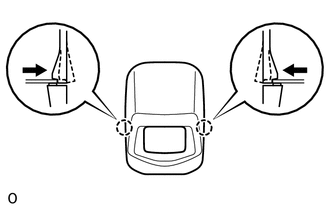
Push in the claw of the rear body tail gate garnish to detach them.
-
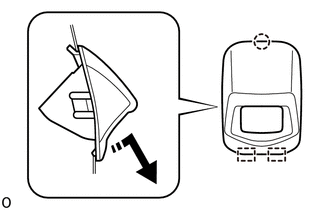

Remove in this Direction Detach the guide and claw as shown in the illustration and remove the rear body tail gate garnish.
-
-
REMOVE REAR TELEVISION CAMERA ASSEMBLY
-
Detach the claw and guide as shown in the illustration and remove the rear television camera assembly.
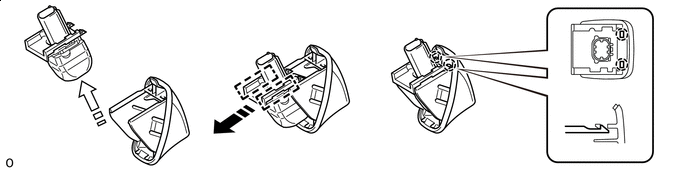
Remove in this Direction (1) 
Remove in this Direction (2)
-