TELEVISION CAMERA(for J Deck) INSTALLATION
PROCEDURE
-
INSTALL REAR TELEVISION CAMERA ASSEMBLY
-
Attach the guide as shown in the illustration.
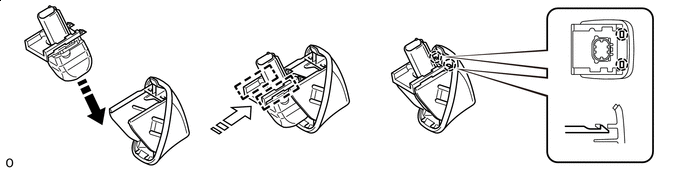

Install in this Direction (1) 
Install in this Direction (2) Tech Tips
Make sure that each guide is attached to its corresponding rail.
-
Attach the claw to install the rear television camera assembly.
Note
Visually check that the guides and claws are attached to the back door No. 2 outside garnish.
-
-
INSTALL REAR BODY TAIL GATE GARNISH
-
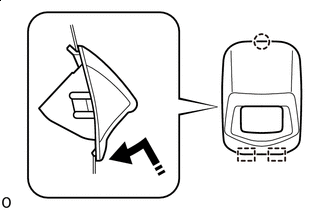
Install in this Direction Attach the claw and guide as shown in the illustration.
-
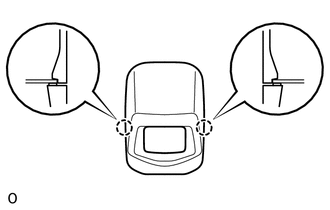
Attach the claw to install the rear body tail gate garnish.
-
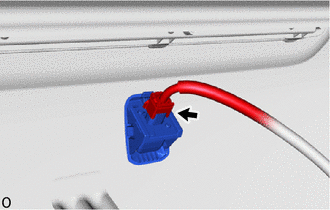
Connect the connector.
-
-
INSTALL TAIL GATE SERVICE HOLE COVER