NAVIGATION SYSTEM Panel Switches do not Function
| DTC Code | DTC Name |
|---|---|
| Panel Switches do not Function |
PROCEDURE
CHECK PANEL SWITCH
Check for foreign matter on the display.
OK
The display is clean.
REMOVE ANY FOREIGN MATTER FOUND
CHECK PANEL SWITCH (OPERATION CHECK)
-
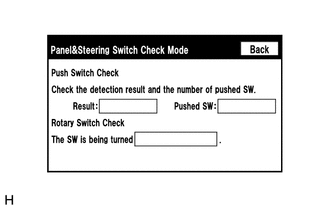
Enter the "Panel & Steering Switch Check Mode" screen. [Refer to Check Panel & Steering Switch in Operation Check (Click here)]
Operate the abnormal switch and check if the switch status is correctly displayed.
OK
The switch status is correctly displayed as operated.
-