DISC PLAYER CONTROLLER REMOVAL
PROCEDURE
-
REMOVE REAR CONSOLE END PANEL SUB-ASSEMBLY
-
REMOVE DISC PLAYER ASSEMBLY WITH BRACKET
-
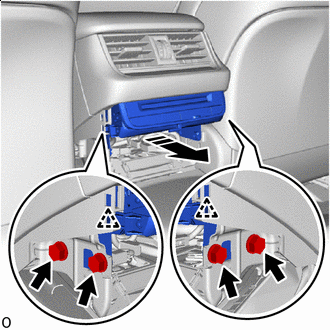

Bolt 
Remove in this Direction Remove the 4 bolts.
-
As shown in the illustration, detach the 2 clips and pull out the disc player assembly with bracket in the direction indicated by the arrow.
-
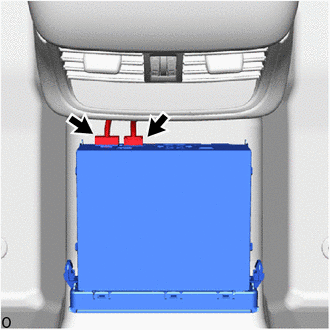
Disconnect the 2 connectors and remove the disc player assembly with bracket.
-
-
REMOVE NO. 1 DISC PLAYER BRACKET
-
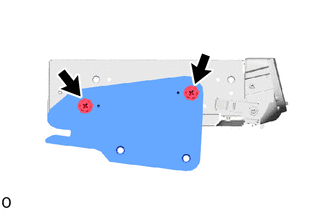
Remove the 2 screws and No. 1 disc player bracket.
-
-
REMOVE NO. 2 DISC PLAYER BRACKET
-
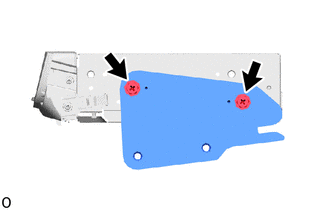
Remove the 2 screws and No. 2 disc player bracket.
-
-
REMOVE DISC PLAYER ASSEMBLY